1
Controller Board Start-up
Controller Board Start-up
The start-up procedure should be performed prior to any software
configuration. There are two start-up sequences: the BIOS Options sequence
and the BIOS Configuration Utility sequence. Either start-up sequence can
be skipped by ignoring the <ALT-M> and/or the <ALT-R> prompt when the
computer is started up.
BIOS Options Sequence
After physically installing the controller and connecting the cabling, do the
following if you need to change any BIOS option settings. (See “Setting
BIOS Options” on page 3-3 for details.)
1. Before turning power on to the computer, power ON any external
enclosures connected to the controller.
2. Power ON the computer.
3. Watch the messages on the screen for the following prompt to be
displayed:
Press <ALT-M> for BIOS options
4. Press Alt–M to get into the BIOS Options menu.
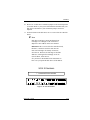
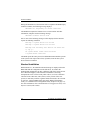
5. The BIOS Options menu provides the following items to choose from:
6. To select any of the items in the menu, highlight the selection with the
Up Arrow or Down Arrow. Press Enter to toggle any of the three
items.
☛ Note
BIOS must be enabled to toggle the CD-ROM boot
and the Drive geometry parameters.
3-2
AcceleRAID 150 Installation Guide