1
Windows 95
The hot-swapping is allowed with more limitation. To avoid system failure, always
follow the below steps to hot remove the PCMCIA CD-ROM in Windows 95,
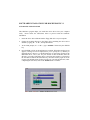
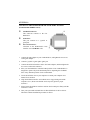
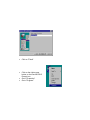
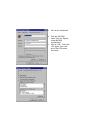
1) Click the PC card indicator on the task bar at the right bottom of screen.
2) Click the command to stop the card you want to remove.
3) Read the screen prompts instruction carefully. If the system prompts you not to
remove the card, DO NOT remove the card. You should exit the present
application and return to step 1.
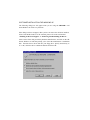
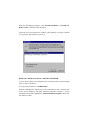
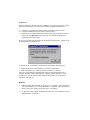
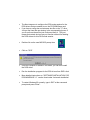
Be sure you are removing the card by the procedures described above, otherwise, the
following dialog will be displayed:
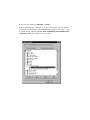
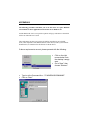
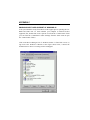
To display the PC card indicator on the task bar, perform the following steps,
1. Double-click the PC Card (PCMCIA) icon in the Control Panel.
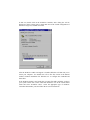
2. Make sure that the box ‘Show the control on task bar’ is checked.
If the PC Card (PCMCIA) wizard appears when you click the button in step 1,
complete the wizard. After restarting your computer, double-click the PC Card
(PCMCIA) icon in the Control Panel, and then check the box to see the status
indicator on the task bar.
NOTICE
•
While operating the CD-ROM, the speed of your computer’s CPU and display
card will dominate the overall performance, especially when playing full
motion video. Slow display speed often causes “still frames”.
•
To play the sound portion of Multimedia CD Titles, your computer must be
equipped with a sound card.