1
Shadow Tracker ™ Professional
Premier Base - Help
DATABASE RECORDS
Using Help | Contents | Index
10
Shadow Tracker
To edit a group:
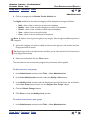
1 From the Vehicle Records window, click the name of the Group you wish to edit.
2 In the Edit a Group window, edit the record and click Save.
To create a vehicle record:
1 From the menu, click File > Open > Vehicle Records.
2 From the Vehicle Records window, click File > New Vehicle\Equipment.
3 In the New Vehicle window enter the vehicle information and click Save.
The required fields for creating a Vehicle Record are:
• Vehicle
• License
To assign a tracking unit to a vehicle record:
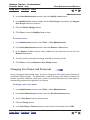
1 From the menu, click File > Open > Vehicle Records.
2 From the Vehicle Records window, click the Vehicle Record you wish to assign a Tracking
Unit to.
3 Select a Tracking Unit from the Tracker # drop-down list.
4 Click Save and click Close to close the Edit a Vehicle window.
To edit a vehicle record:
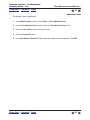
1 From the Vehicle Records window, click the Vehicle Record you wish to edit.
2 Edit the record and click Save > Close.
Using Help | Contents | Index
10