1
AXIS 5500/AXIS 5550 User’s Guide
10
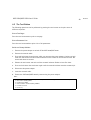
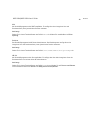
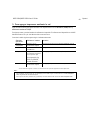
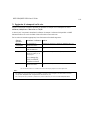
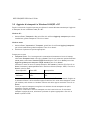
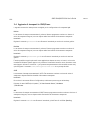
2. Assign an IP address
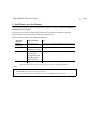
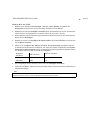
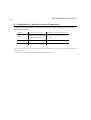
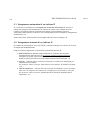
To establish communication with the network, an IP address must be assigned to your AXIS
5500/AXIS 5550.
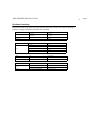
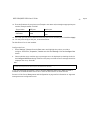
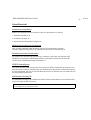
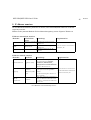
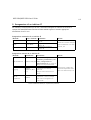
Select the method from the table below that applies to your network environment.
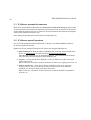
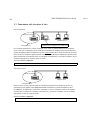
Automatic IP address assignment:
Method:
Server Required: Comment:
Auto-IP
Windows
environment
DHCP
DHCP server
BOOTP
BOOTP server
Automatic assignment of IP
addresses
Dynamic assignment of IP
addresses
Static assignment of IP
addresses
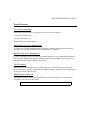
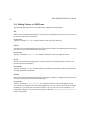
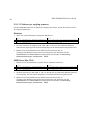
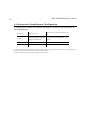
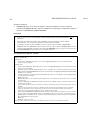
Manual IP address assignment:
Method:
Platform:
Comment:
Action:
Go to Automatic IP address
assignment, on page 11
Action:
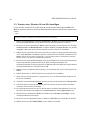
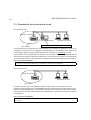
Axis software that assists in
AXIS ThinWizard
arp/ping
AXIS IP
JumpStarter
Windows 2000,
XP
finding, installing, monitoring,
configuring and upgrading
multiple print servers
simultaneously.
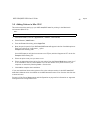
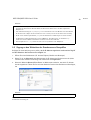
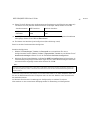
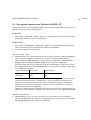
Go to “Manual IP address
Requires the IP address for each
assignment” on page 11 for
Windows,
device to be downloaded
instructions.
UNIX/Linux, Mac
individually.
OS X
Cannot be used over routers.
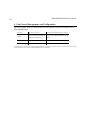
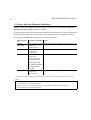
Axis software that allows you to
Windows
find print servers in your network
and assign an IP address to them.
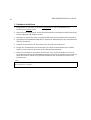
These methods are all enabled by default.