1
Connected switches
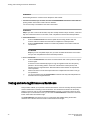
When you unpack the downloaded firmware, it expands into a directory that is named according to the
version of Fabric OS it contains. For example, when you download and unzip v7.3.0.zip, it expands
into a directory called v7.3.0. When you issue the firmwareDownload command, there is an
automatic search for the correct package file type associated with the switch. Specify only the path up
to and including the v7.3.0 directory.
Connected switches
Before you upgrade the firmware on your switch, you must check the connected switches to ensure
compatibility and that any older versions are supported. Refer to the Fabric OS Compatibility section of
the Brocade Fabric OS Release Notes for the recommended firmware version.
If fixed-port switches are adjacent and you start firmware downloads on them at the same time, there
may be traffic disruption.
To determine if you need to upgrade switches connected to the switch you are upgrading, use the
following procedure on each connected switch to display firmware information and build dates.
Finding the switch firmware version
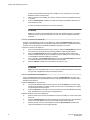
1. Connect to the switch and log in using an account with admin permissions.
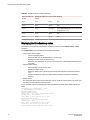
2. Enter the version command.
The following information is displayed:
•
•
•
•
•
20
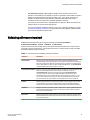
Kernel: Displays the version of the switch kernel operating system.
Fabric OS: Displays the version of the switch Fabric OS.
Made on: Displays the build date of the firmware running on the switch.
Flash: Displays the install date of firmware stored in nonvolatile memory.
BootProm: Displays the version of the firmware stored in the boot PROM.
Fabric OS Upgrade Guide
53-1003240-02