1
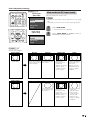
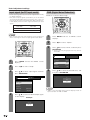
Useful adjustment settings
1
2
3
MENU
TV/SAT/DVD
DTV/DVD TOP
RETURN
MENU
MENU
SOURCE
DTV/SAT
GUIDE
POWER
4
7
5
6
8
9
0
100
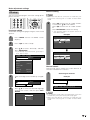
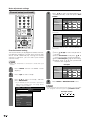
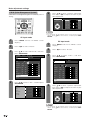
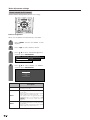
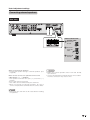
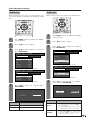
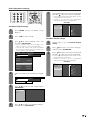
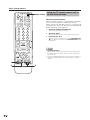
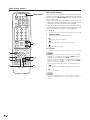
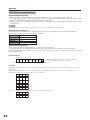
TV Parental Guidelines (TV Guidelines)
SET/
ENTER
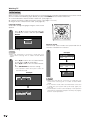
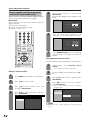
1
Repeat steps 1 to 5 in Voluntary movie
rating system (MPAA).
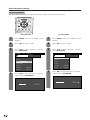
2
Press a/b to select “TV Guidelines”, and
then press SET/ENTER.
3
Press a/b to adjust the item to your desired
position. “ ” indicates the item is blocked.
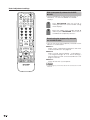
DTV/SAT
INFO
FAVORITE CH
ENT
VCR REC
A
B
C
D
POWER
INPUT
VOLⴑ
VOLⴐ
RECEIVER
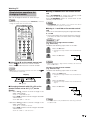
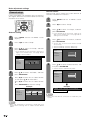
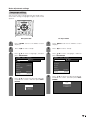
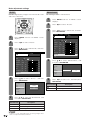
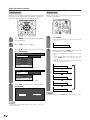
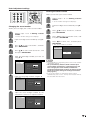
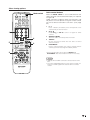
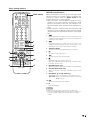
Voluntary movie rating system (MPAA)
1
2
3
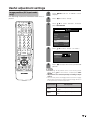
Press MENU and the TV MENU screen
displays.
• The setting automatically enters “Block” for any
ratings below your selection.
Example
MPAA
Press c/d to select “Setup”.
TV Guidelines
TV-Y
Can. English Ratings
TV-Y7
Can. French Ratings
TV-G
L
TV-PG
S
TV-14
V
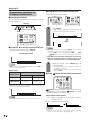
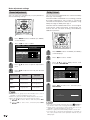
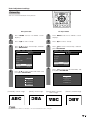
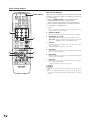
Press a/b to select “Parental CTRL”, and
then press SET/ENTER.
• Secret number setting menu displays only
when “Secret No.” is set. (See page 60.)
• “V-Chip” and “Status” will not be selectable
from the menu if you do not first configure your
secret number. (See page 60.)
4
Input the 4-digit secret number by using 0 –
9.
5
Press a/b to select “V-Chip”, and then press
SET/ENTER.
TV MENU
D
TV-MA
NONE
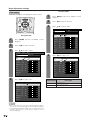
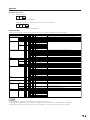
When setting an individual content-based rating
item, do as follows:
1 Press d to access block content items from
the currently selected age-based rating item.
2 Press a/b to select an individual item, and
then press SET/ENTER to unblock (“ ” is
removed). Repeat the same steps for other
items.
3 Press c or MENU/RETURN to register after
all individual content rating items are set.
Example
[Setup ... Parental CTRL]
MPAA
TV Guidelines
TV-Y
Secret No.
Can. English Ratings
TV-Y7
Status
Can. French Ratings
TV-G
L
TV-PG
S
TV-14
V
V-Chip
D
TV-MA
NONE
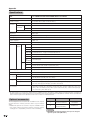
• If Status is not set to “On” the configuration
settings will not work. (See page 60.)
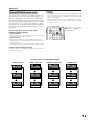
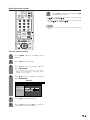
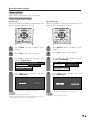
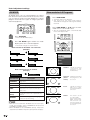
6
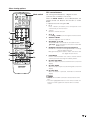
Press a/b to select “MPAA”, and then press
SET/ENTER.
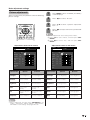
7
Press a/b to adjust the item to your desired
position. “ ” indicates the item is blocked.
Press MENU/RETURN.
• The setting automatically enters “Block” for any
ratings below your selection.
• If Status is not set to “On” the configuration
settings will not work. (See page 60.)
Example
MPAA
TV Guidelines
G
Can. English Ratings
PG
Can. French Ratings
PG-13
R
NC-17
X
NONE
63