1
$JLOHQW0$996HULHV6HUYLFH*XLGH
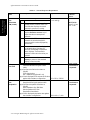
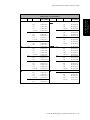
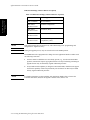
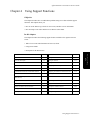
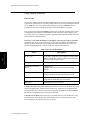
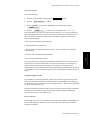
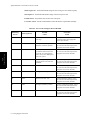
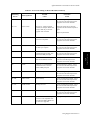
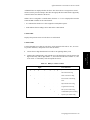
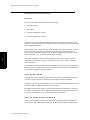
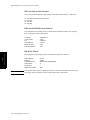
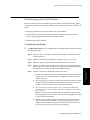
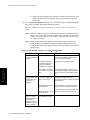
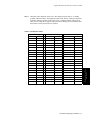
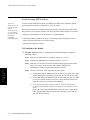
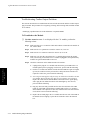
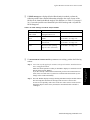
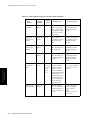
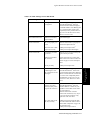
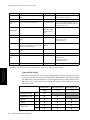
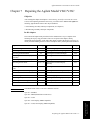
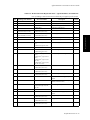
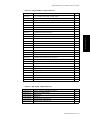
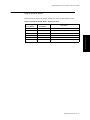
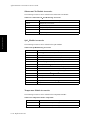
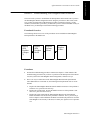
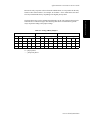
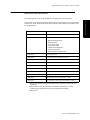
7DEOH7HVWDQG,QVSHFWLRQ5HTXLUHPHQWV
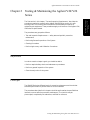
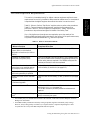
Testing & Maintaining
the Agilent V24/V26
Series
7HVW%ORFN
1DPH
7HVWRU³,QVSHFWLRQ´WR3HUIRUP
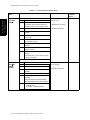
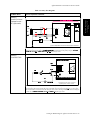
3HUIRUPDQFH $FFXUDF\7HVW
7HVW1%3
6WHS $FWLRQ
0RGXOH
1
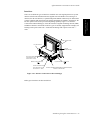
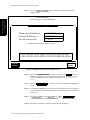
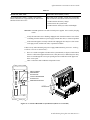
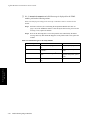
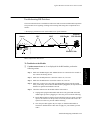
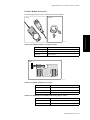
Connect the manometer and the pump
with tubing and expansion chamber to
the NBP connector on the NBP Module.
2
Go to Service Mode.
3
Press the 1%3 button on the NBP
Module.
4
Press 6WDUW button in the task window to
close valves.
5
Raise the pressure to 280 mmHg with
the manometer pump.
6
Wait 10 sec. for the measurement to
stabilize.
7
Compare the manometer values with the
displayed values.
8
Document the value displayed by the
Monitor.
If the difference is greater than 3 mmHg,
calibrate the module.
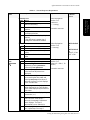
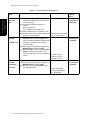
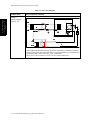
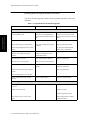
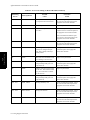
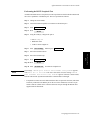
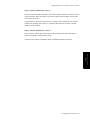
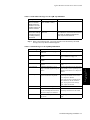
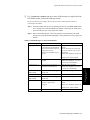
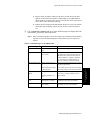
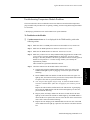
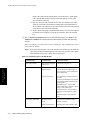
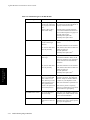
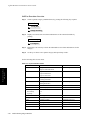
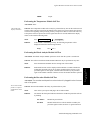
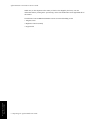
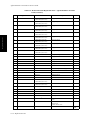
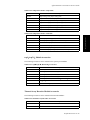
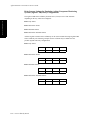
3HUIRUPDQFH /HDNDJH7HVW
7HVW1%3
6WHS $FWLRQ
0RGXOH
1
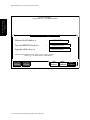
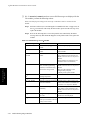
Press the 1%3 button on the Module.
FRQWG
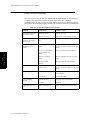
2
Press the 6WDUW softkey in the task
window.
3
Pressurize the gauge to 280 mmHg.
4
Watch the pressure value for 60
seconds.
After 60 seconds the value should
have decreased by less than 6 mmHg.
5
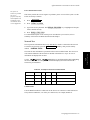
Calculate and document:
Leakage test =
Accuracy – displayed value
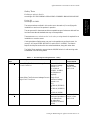
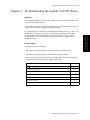
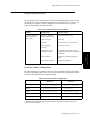
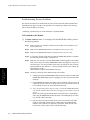
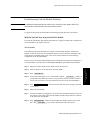
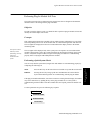
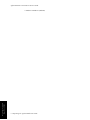
7HVWLQJ0DLQWDLQLQJWKH$JLOHQW996HULHV
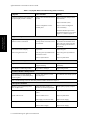
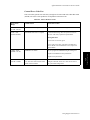
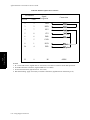
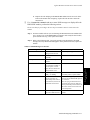
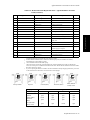
([SHFWHG7HVW5HVXOWV
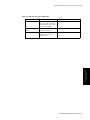
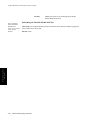
Value displayed on
Monitor = x1
If difference (<= 3mm)
Proceed to next test.
Leakage test value = x2
(<= 6 mmHg)
Proceed to next test.
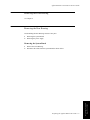
:KDWWR5HFRUG
RQ6HUYLFH
5HFRUG