1
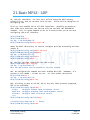
14. OSPF
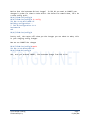
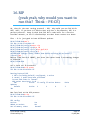
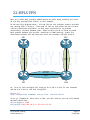
Time for some OSPF configs, these will build off the previous configs we just
did. For this lab, the other router, R2, was preconfigured to support the
connections.
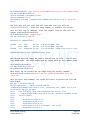
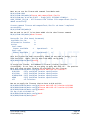
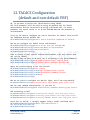
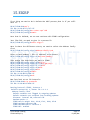
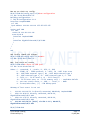
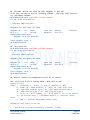
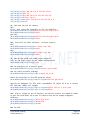
We will place our loopback and out g0/3/0/2 interface into OSPF process LAB
and area 0.0.0.0
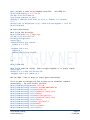
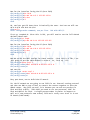
RP/0/7/CPU0:R1#
RP/0/7/CPU0:R1#conf t
Thu Mar 29 19:37:52.671 UTC
Define our OSPF process name
RP/0/7/CPU0:R1(config)#router ospf LAB
Now to define our area first
RP/0/7/CPU0:R1(config-ospf)#area 0.0.0.0
Now we can place the interfaces into the area, no need to entering subnets
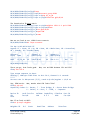
RP/0/7/CPU0:R1(config-ospf-ar)#inter loo0
RP/0/7/CPU0:R1(config-ospf-ar-if)#inter g0/3/0/2
RP/0/7/CPU0:R1(config-ospf-ar-if)#exit
RP/0/7/CPU0:R1(config-ospf-ar)#exit
RP/0/7/CPU0:R1(config-ospf)#exit
RP/0/7/CPU0:R1(config)#commit
Thu Mar 29 19:38:15.182 UTC
RP/0/7/CPU0:R1(config)#
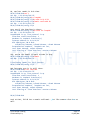
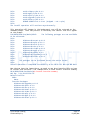
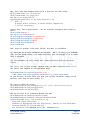
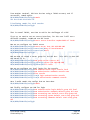
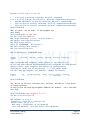
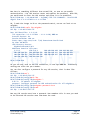
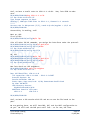
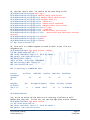
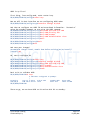
Now to look at our IP Protocols running:
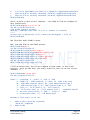
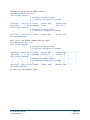
RP/0/7/CPU0:R1#sh ip proto
Thu Mar 29 19:38:24.113 UTC
Routing Protocol OSPF LAB
Router Id: 1.1.1.1
Distance: 110
Non-Stop Forwarding: Disabled
Redistribution:
None
Area 0.0.0.0
Loopback0
GigabitEthernet0/3/0/2
RP/0/7/CPU0:R1#
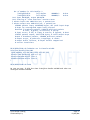
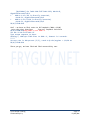
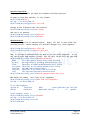
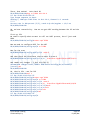
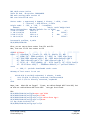
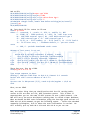
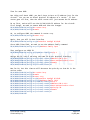
We can see what we have OSPF LAB running with a RouterID of 1.1.1.1 (our
loopback). It tells us what interfaces are in Area 0.0.0.0 as well.
Cisco IOS XR Training
© 2012 Jeffrey Fry
Page 47
FryGuy.Net