1
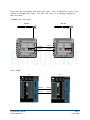
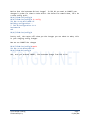
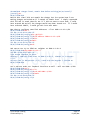
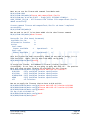
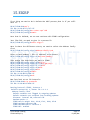
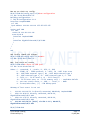
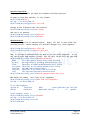
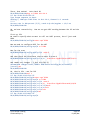
Ok, PE2 done. Now we can check for OSPF neighbor in that VRF.
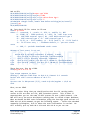
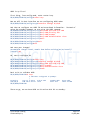
To do that, we need to use the following command: show ospf (OSPF Process)
vrf (VRF Name) neighbor
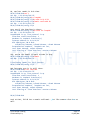
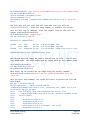
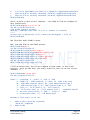
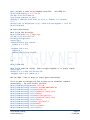
RP/0/RSP0/CPU0:R1#sh ospf R3R4 vrf R3R4 neighbor
Fri Apr 20 02:18:16.826 UTC
* Indicates MADJ interface
Neighbors for OSPF R3R4, VRF R3R4
Neighbor ID
Pri
State
10.3.3.3
1
FULL/DR
GigabitEthernet0/1/0/19
Neighbor is up for 00:00:05
Dead Time
00:00:39
Address
10.1.13.3
Interface
Address
10.1.24.4
Interface
Total neighbor count: 1
RP/0/RSP0/CPU0:R1#
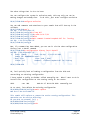
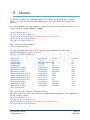
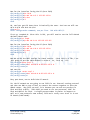
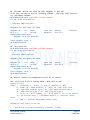
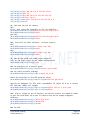
Ok, lets check PE2:
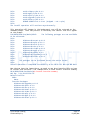
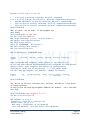
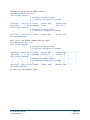
RP/0/RSP0/CPU0:R2#sh ospf R3R4 vrf R3R4 neighbor
Fri Apr 20 02:19:19.588 UTC
* Indicates MADJ interface
Neighbors for OSPF R3R4, VRF R3R4
Neighbor ID
Pri
State
10.4.4.4
1
FULL/DR
GigabitEthernet0/1/0/19
Neighbor is up for 00:00:03
Dead Time
00:00:39
Total neighbor count: 1
RP/0/RSP0/CPU0:R2#
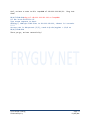
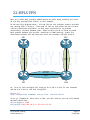
Ok, both PE routers are neighbored up with the CE routers.
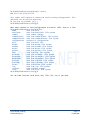
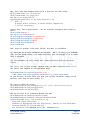
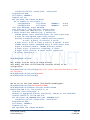
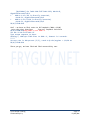
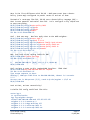
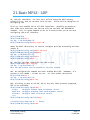
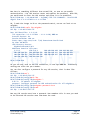
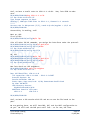
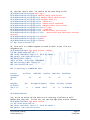
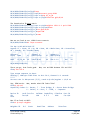
Now, if we look at CE1’s routing table – what will we see?
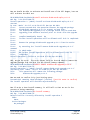
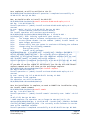
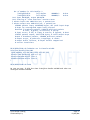
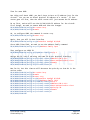
CE1#sh ip route
Codes: C - connected, S - static, R - RIP, M - mobile, B - BGP
D - EIGRP, EX - EIGRP external, O - OSPF, IA - OSPF inter area
N1 - OSPF NSSA external type 1, N2 - OSPF NSSA external type 2
E1 - OSPF external type 1, E2 - OSPF external type 2
i - IS-IS, su - IS-IS summary, L1 - IS-IS level-1, L2 - IS-IS level-2
ia - IS-IS inter area, * - candidate default, U - per-user static
route
o - ODR, P - periodic downloaded static route
Gateway of last resort is not set
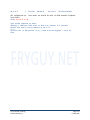
10.0.0.0/8 is variably subnetted, 2 subnets, 2 masks
Cisco IOS XR Training
© 2012 Jeffrey Fry
Page 89
FryGuy.Net