1
Adding Printers in UNIX/Linux
Print Methods on TCP/IP Networks
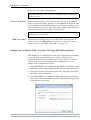
The AXIS 5400+/AXIS 5600+ supports several different print methods in
the TCP/IP environment. Depending on your printing requirements
(banner pages, status logging, etc), seelct a print method suitable for your
particular UNIX/Linux system.
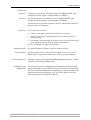
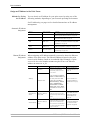
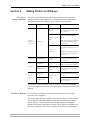
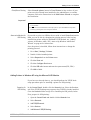
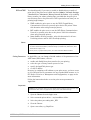
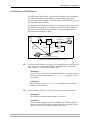
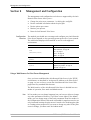
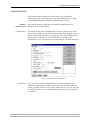
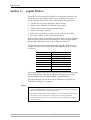
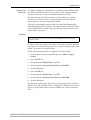
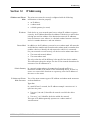
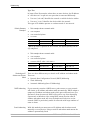
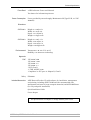
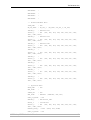
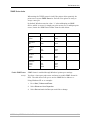
The diagram below shows the alternative data paths taken by some of the
UNIX/Linux print methods. This illustrates some of the advantages and
limitations of the different methods. Use the following information to
determine which method to adopt.
Print
Spooler
File to
Print
Devices
Filter/
Interface
Model
Parallel Port
Directly
connected
printer
Named Pipe
DIRECT
FTP
RTELNET
Printer
LPD FTP
RTELNET PROS B
PROS print
daemon
PROS A
Axis Network Print Server
Illustration of different UNIX/Linux print methods
LPD
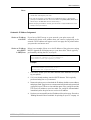
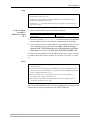
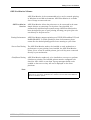
The Line Printer Daemon is a protocol for transferring print jobs between
hosts. This is the recommended method for UNIX/Linux systems, but
some System V versions do not support LPD.
Advantages:
Easy to set up — install the AXIS 5400+/AXIS 5600+ as a remote queue in
System V, or add a remote printer to /etc/printcap using the rm and rp
fields (BSD).
Limitations:
Spooler features, and printcap or lpr options (BSD) such as multiple
copies, are not available.
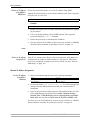
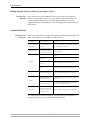
FTP
The File Transfer Protocol is used for transferring files between hosts.
Advantages:
Uses industry standard network software on the host.
Limitations:
No printer status logging. In the case of BSD it may conflict with other
input or output filters and does not allow both input and output filters. In
System V no filters or interface programs can be used.
AXIS 5400+ / AXIS 5600+ User’s Manual
79