1
Hardware Installation Guide
–
change gateway [your gateway]
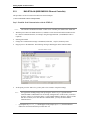
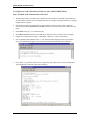
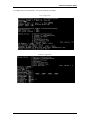
12. Type in the following to disable BOOT and RARP, depressing the <Enter> key after each line.
LOCAL>>CHANGE BOOTP DISABLE
LOCAL>>CHANGE RARP DISABLE
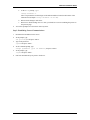
13. Type change access remote and press <Enter>.
14. Disconnect from the device and exit.
15. If a subnet mask and gateway was programmed (step 9), you must recycle power to the device (the
device must be rebooted) in order for the settings to take effect.
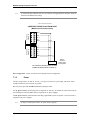
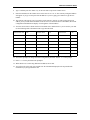
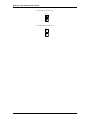
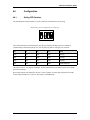
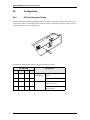
16. At this point, make sure that switch 5 on the ISC is configured correctly for hardware flow control. It
should be set to “ON.”
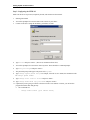
17. To verify that the device is talking on the network you can “ping” the device from a DOS command
prompt by typing ping [IP address].
21.3.
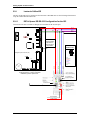
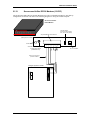
BAS-ETHLAN-LITE (Micro Serial Server)
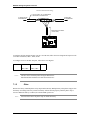
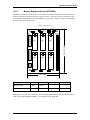
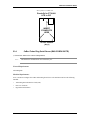
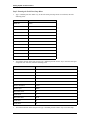
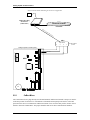
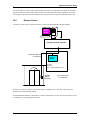
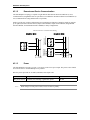
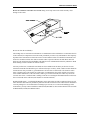
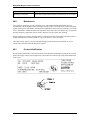
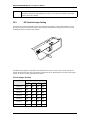
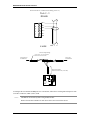
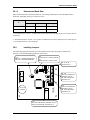
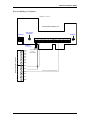
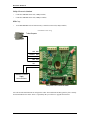
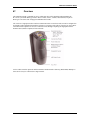
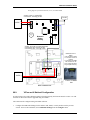
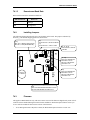
The ETHLAN-LITE device plugs directly into the ISC panel. It should be labeled with its Ethernet/
hardware address (example: 00-80-a3-2b-02-3b). Note: This method of communication not evaluated by
UL.
Note:
The ETHLAN-LITE can only communicate on a 10 base-T network. If it is connected through
a 100 base-T network connection it will not communicate.
Assign this address to a TCP/IP address over the network by using the ARP utility. In order to do this, the
ARP table on the Windows PC must have at least one IP address other than its own defined. If the ARP table
is empty, the command will return an error message saying that the ARP table addition failed.
1.
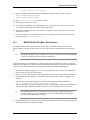
At the DOS command prompt, type ARP-A to verify that there is at least one entry in the ARP table. If
there is at least one entry, proceed to step #3.
2.
If there is no other entry listed in the ARP table besides the local machine, ping another IP machine on
the network to build the ARP table. You must ping a host other than the machine on which you are
working.
3.
After the entry is listed in the ARP table, use the following command to ARP the IP address:
arp -s [IP Address] [Ethernet/Hardware Address]
where the IP address is the numerical address (example: 192.168.002.203) and the Ethernet/Hardware
Address is the address labeled on the Micro Serial Server device (example: 00-80-a3-2b-02-3b).
Note:
4.
The ARP/ping method only works during the first two minutes of BAS-ETHLAN-LITE
operation. If this process is not completed in time, then the BAS-ETHLAN-LITE must be
rebooted and the ARP/ping process redone.
Ping the IP address to have the device acknowledge the IP assignment. There should be replies from the
IP address if the ARP command was accepted.
revision 88 — 101