1
Contents
Contents..............................................................................................................................................2
1 Introduction ..................................................................................................................................3
2 What's in the Box .........................................................................................................................4
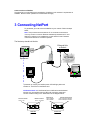
3 Connecting NetPort......................................................................................................................5
4 Configuring NetPort......................................................................................................................6
What you need to know before you start......................................................................................... 8
4.1
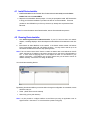
Install DeviceInstaller ........................................................................................................... 9
4.2
Running DeviceInstaller ....................................................................................................... 9
4.3
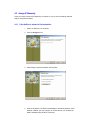
Assign IP Manually............................................................................................................. 10
4.3.1
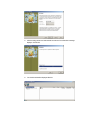
If the NetPort is shown in DeviceInstaller: ....................................................................10
4.3.2
If the NetPort is NOT shown in DeviceInstaller: ...........................................................12
4.4
Changing NetPort’s Serial Parameters to connect to your Equipment ............................... 14
4.4.1
Via Web Interface ........................................................................................................14
4.4.2
14
4.4.3
Via Telnet.....................................................................................................................17
4.4.4
Via Serial Port (master config port) ..............................................................................19
5 Sending/Receiving data .............................................................................................................21
5.1
If you do NOT have an application which can talk to a TCP/IP Socket............................... 21
5.2
If you have an application already which can talk to a TCP/IP Socket ............................... 22
6 Appendix A – Setup Mode Parameters ......................................................................................24
6.1
Accessing Setup Mode ...................................................................................................... 24
6.2
Server Configuration (Network Configuration).................................................................... 26
6.2.1
IP Address ...................................................................................................................26
6.3
Channel 1 Configuration (Serial Port Parameters) ............................................................. 27
6.3.1
Baudrate ......................................................................................................................28
6.4
E-mail Settings................................................................................................................... 37
6.5
Expert Settings................................................................................................................... 38
6.6
Security Settings ................................................................................................................ 39
6.6.1
Encryption Tutorial .......................................................................................................41
6.7
Factory Defaults................................................................................................................. 42
7 Appendix B - Using Monitor Mode..............................................................................................43
7.1.1
Via the Serial Port ........................................................................................................43
7.1.2
Via a Telnet Connection...............................................................................................43
8 Appendix C - Reloading Firmware..............................................................................................44
8.1.1
Using TFTP..................................................................................................................45
8.1.2
Using the Serial Port with DeviceInstaller.....................................................................45
9 Appendix D – Hexadecimal Table ..............................................................................................45