1
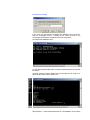
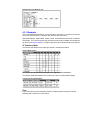
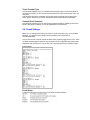
To restore factory default settings (except IP address/subnet/Gateway) use
Menu 7
Tip: Press ENTER to move through the menu fields without changing them.
Top-tip: Ensure you save changes made in the above by selecting Menu 9 ☺
5
Sending/Receiving data
The NetPort should now be enumerated on your LAN and can receive/send data according to
its standard serial settings:
•
•
9600b/sec, No parity, 8 bit data, 1 stop bit
Handshaking set to CTS/RTS
If your RS232 equipment can communicate in this data format then all you need to do now is
open an application on a networked PC to send/receive.
5.1
If you do NOT have an application which can talk to a TCP/IP
Socket.
You have 2 options without creating a specific software application:
1. Use Com Port Redirector to assign a Virtual Com Port to the NetPort, you can then
use your existing application software to communicate via COMx over the Ethernet
without any TCP/IP knowledge. (where x is the Com Port number you have
configured in Redirector)
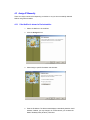
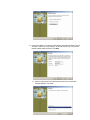
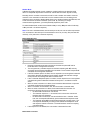
a) Install Com Port Redirector on the PC that the Virtual Com Port is required
using the NetPort CDROM.
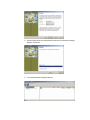
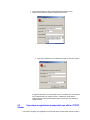
b) Run Redirector by clicking
Start\Programs\Lantronix\Redirector\Configuration.
See the AMC-AN-LAN07 Com Port Redirector Apps Note Iss01.pdf on the CDROM
for more help.
Redirector config Notes: When configuring the TCPPort, enter a value of 10001,
ensure Raw Mode is enabled in Port Settings.
Note: At the time of going to press, NetPort is factory set to Local Port = 14001 and
will need changing by the user to 10001. See section: 4.4 Changing NetPort’s Serial
Parameters to connect to your Equipment
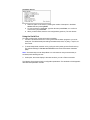
2. Use HyperTerminal-32bit (included in Windows Xp & Windows 2000) in Winsock
mode to connect over the Ethernet to the NetPort.
Note: At the time of going to press, NetPort is factory set to Local Port = 14001 and
will need changing by the user to 10001. See section: 4.4 Changing NetPort’s Serial
Parameters to connect to your Equipment