1
Chapter 1: Overview
1. Welcome
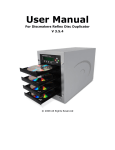
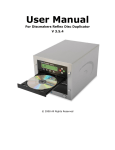
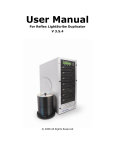
The Disc Makers Forte autoloader is a reliable, high performance, high speed, standalone, robotic DVD and/or
CD autoloader. With its professional industrial design and simple user interface, it makes your duplicating
experience easier than ever.
With the Disc Makers Forte, you can have a capacity from 1 to 25 discs, duplicate continuously (even with
multiple masters), and get the highest quality duplication, all at an extremely affordable price. The Disc Makers
Forte is the most reliable and affordable autoloader on the market.
Before you start using this autoloader, please read the following to ensure proper operation:
DVD Duplication Limitations
The DVD autoloader will not copy any DVDs that have Copy Protection encoded in the content. Typically, most
DVDs you purchase or rent from a store contains Copy Protection. In addition to the copy protection limitation, the
autoloader will only copy a DVD5 format (4.7 GB) disc to another DVD5 format recordable DVD media. If your
autoloader has double layer/dual layer capability, you can copy a DVD9 format (8.5 GB) disc to another DVD9
format recordable DVD media, but you cannot duplicate a DVD5 format disc on to a DVD9 format recordable
media or vice versa.
Temperature Warning
If the autoloader was stored in a location where the temperature dropped below 32° F (0° C) within the past 24
hours, leave the autoloader in a warm room with temperatures at least 65° F (19° C) for four hours prior to
powering it on for the first time. Failure to do so may cause irreparable harm and prevent the autoloader from
functioning.
Maintenance
It is very important to operate and keep the autoloader in a dust free, clean environment since dust is the number
one killer of CD/DVD recording devices. Failure to do so can severely damage your autoloader. We strongly
suggest that you constantly use an Air Duster (Canned Air) to clear off any dust on the surface of the autoloader.
Note: Do not try to use an Air Duster to clean the autoloader while the writer trays are open. In doing so, you may
inadvertently blow dust into the recording device and damage it.
Proper Shutdown
To avoid possible system failures, you need to shut down the autoloader properly. To shut down the
autoloader use the Shutdown hot key and follow the instructions on the screen. Not performing this
function increases the risk of damaging the autoloader.
Spindles vs. Bins
The Disc Makers Forte has 1 bin for holding blank CDs and/or DVDs. Although the manual may refer to them as
spindles at times, many of the messages shown on the LCD display refer to them as bins in order to create more
concise messages. Don’t panic. Spindles and bins are the same.
User Guide v.1.0
www.discmakers.com/techsupport
2