1
10.2 Read Error Skip
Normally, when the autoloader encounters a read error while reading your master disc, the duplication is aborted
and the recordable media in the writer is ruined. However, if you believe that your master disc has a small,
insignificant error due to physical damage, you can enable this setting to allow the autoloader to skip any read
errors it encounters.
Note: This function does not fix the error; it only skips it to make the rest of the data readable.
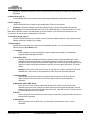
Setup
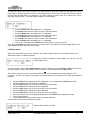
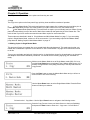
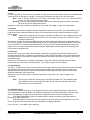
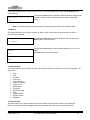
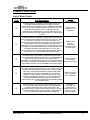
Use the Up or Down button to select the Read Error Skip menu and
press the Enter button to enter that menu.
2.Read Error Skip
Read Error Skip
On
Read Error Skip
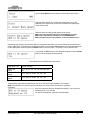
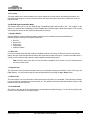
Use the Up or Down button to select whether Read Error Skip is on or
off, and press the Enter button to select that option.
Off
10.3 CD Writing Mode
This setting allows you to select which mode to use to duplicate a CD; Disc at Once or Track at Once.
Unless you understand completely what these modes are, we strongly suggest you to set it to “Disc at
Once.”
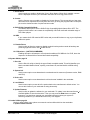
Setup
3. CD Writing Mode
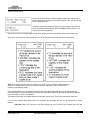
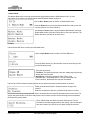
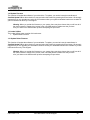
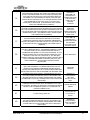
Use the Up or Down button to select the CD Writing Mode menu and
press the Enter button to enter that menu.
CD Writing Mode
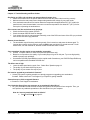
Use the Up or Down button to select either Disc at Once or Track at
Once, and press the Enter button to select that option.
Track at Once
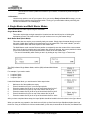
11.4 Max Audio, VCD & CDG Speed
Due to the lack of error checking mechanism for Audio CD, Video CD and CD+G format, duplicating them at too
high a speed can cause frequent errors like glitches and skips. Use this setting to adjust the maximum duplication
speed for Audio, Video CD and CD+G format to ensure reliable duplication for such formats.
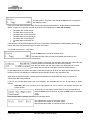
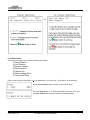
The options are: 1x, 2x, 4x, 8x, 12x, 16x, 24x, 32x, 40x, 48x, and 52x.
Setup
Max Audio, VCD & CDG
User Guide v.1.0
www.discmakers.com/techsupport
21