1
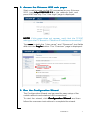
2 . Access the Ericsson W25 web pages
Start a web browser on the PC connected to your Ericsson
W25, type http://192.168.1.1 in the address field, and
press the Enter key. The “User login” page is displayed:
NOTE! If this page does not appear, verify that the TCP/IP
settings in the PC are set to “Obtain an IP address automatically”.
Type user in both the “User name” and “Password” text fields
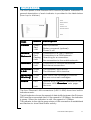
and click the Log In button. The “Overview” page is displayed:
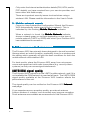
2 . Run the Configuration Wizard
The Configuration Wizard can be used for easy setup of the
mobile network and wireless LAN connections.
To start the wizard, click Configuration Wizar
Wizard
d and then
follow the onscreen instructions to complete the wizard.
Installation
7