1
Only enter the Internet authentication details (PIN, APN, and/or
PPP details) you have received from your service provider, and
leave other text fields empty.
There are important security issues involved when using a
wireless LAN. Please read the information in the User’s Guide.
3 . Mobile network search
Once you have finished the Configuration Wizard, the Ericsson
W25 automatically starts searching for a network. This is
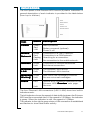
indicated by the flashing Mobile Network indicator.
When a network is found, the Mobile Network indicator
shows a steady green or red light depending on the type of
mobile network (UMTS or GSM) with which your Ericsson W25
has established a connection.
3 - CHOOSING A LOCA
TION
LOCATION
The Ericsson W25 has primarily been designed to be wall mounted.
Always select an indoor location, preferably close to a window and
the ceiling which generally will give the best conditions for both the
mobile network and wireless LAN.
For best results, place the Ericsson W25 away from microwave
ovens and equipment with radio transmitters (e.g. security/alarm
systems) as they can cause signal interference.
UMTS/GSM signal quality
The Ericsson W25 connects to the UMTS mobile network, and if it is
not available the GSM network is used as fall-back. The UMTS/GSM
signal quality available at the Ericsson W25 location affects the
performance of the unit.
The signal quality can be verified on the Ericsson W25 Internet
web page.
If you experience poor reception quality, an external antenna
(indoor window or outdoor roof mounted) may improve reception.
Such antennas are available as accessories for the Ericsson W25.
8
Installation