1
CONTENTS
REFERENCES ............................................................................................................. v
Conventions.................................................................................................................. v
Reference Documentation ............................................................................................ v
Service and Support ..................................................................................................... v
Patents.......................................................................................................................... v
Compliance ................................................................................................................ vi
EMC Compliance......................................................................................................... vi
Power Supply............................................................................................................... vi
LED Class.................................................................................................................... vi
CE Compliance............................................................................................................ vi
WEEE Compliance ...................................................................................................... vi
GENERAL VIEW ........................................................................................................ vii
1
RAPID CONFIGURATION ........................................................................................... 1
Step 1 – Connecting the System .................................................................................. 1
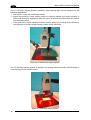
Step 2 – Mounting and Positioning the System ............................................................ 2
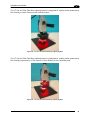
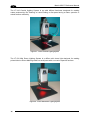
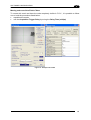
Step 3 – Autolearning Configuration............................................................................. 3
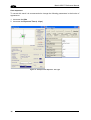
Step 4 – Installing VisiSet™ Configuration Program .................................................... 6
Advanced Reader Configuration................................................................................... 9
2
2.1
2.2
2.3
2.4
2.5
2.5.1
GENERAL FEATURES.............................................................................................. 10
Introduction ................................................................................................................. 10
Description.................................................................................................................. 11
Model Description ....................................................................................................... 13
Accessories ................................................................................................................ 13
Application Examples ................................................................................................. 14
External Lighting Systems .......................................................................................... 17
3
3.1
3.2
3.2.1
3.3
3.3.1
3.3.2
3.3.3
3.3.4
3.3.5
3.3.6
3.4
3.5
3.6
3.6.1
3.6.2
3.6.3
3.6.4
3.6.5
INSTALLATION ......................................................................................................... 22
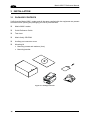
Package Contents ...................................................................................................... 22
Mechanical Installation ............................................................................................... 23
Mounting Matrix-2000™ ............................................................................................. 25
Electrical Connections ................................................................................................ 26
Power Supply.............................................................................................................. 29
Main Serial Interface................................................................................................... 30
Auxiliary RS232 Interface ........................................................................................... 35
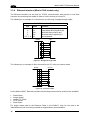
Ethernet Interface (Matrix-21XX models only)............................................................ 36
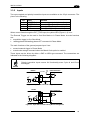
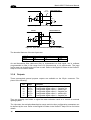
Inputs .......................................................................................................................... 37
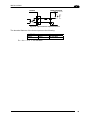
Outputs ....................................................................................................................... 38
User Interface ............................................................................................................. 40
Positioning .................................................................................................................. 41
Typical Layouts........................................................................................................... 44
Point-to-Point .............................................................................................................. 44
Multiplexer .................................................................................................................. 45
RS232 Master/Slave................................................................................................... 46
Pass Through ............................................................................................................. 47
Ethernet Connection (Matrix-21XX models only)........................................................ 48
4
4.1
SOFTWARE CONFIGURATION................................................................................ 50
VisiSet™ System Requirements................................................................................. 50
iii