1
Handling Audio Files
Dividing a file
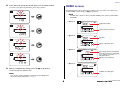
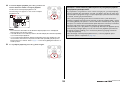
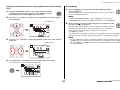
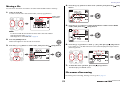
4.
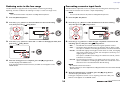
Press the [+] or [–] button to select “FILE”, then press the [
The PR7 enters File mode.
] (Play) button.
5.
Press the [+] or [–] button to select “dIV”, then press the [
] (Play) button.
6.
Press the [<] or [>] button to select “y” (Yes), then press the [
] (Play)
button.
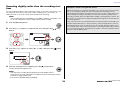
If you select “no”, the PR7 will return to the screen displayed in step 5 without
processing the file.
7.
To finish the divide operation, press the [■] (Stop) button.
The PR7 displays the HOME screen.
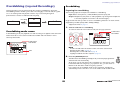
You can divide the currently-selected file into two. This feature can be convenient, for
example, if you want to create a separate file for each song from a long audio file
recorded at a live performance.
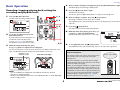
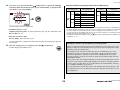
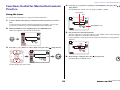
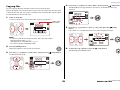
1.
Select an audio file.
To select an audio file in the current folder, use the [<]/[>] buttons.
Folder name/
File number
NOTE
• To select an audio file from another location, refer to the section below.
Selecting another folder ➔ page 11
Selecting a file on a microSD card ➔ page 10
• To be divided successfully, a file must be two seconds or longer in duration.
• You cannot divide files in the MUSIC folder.
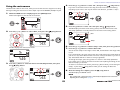
2.
Play or fast forward the file to locate a point at which you wish to divide the
file.
NOTE
It would be convenient if you first insert a marker to the point at which you wish to
divide the file.
Adding a marker ➔ page 17
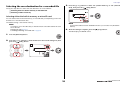
3.
Press the [MENU] button.
Menu items appear on the left side of the screen.
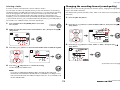
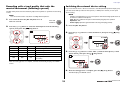
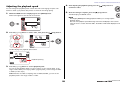
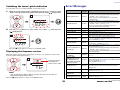
File names after division
File naming rules for dividing, deleting or moving a file ➔ page 32
29
Reference Manual