1
Handling Audio Files
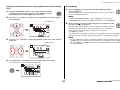
Moving files from one folder to another inside the
MUSIC folder
Follow the steps below to move audio files from one folder to another inside the MUSIC
folder.
1.
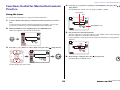
Connect the PR7 to the computer.
2.
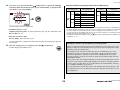
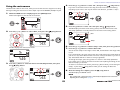
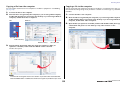
Once the PR7 is recognized by the computer, if you are using a Mac computer,
double-click the disk icon mounted on the desktop. If you are using a Windows
computer, double-click “PR7” in Explorer.
3.
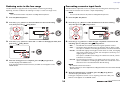
Open the Mxx (xx represents a number) folder inside the MUSIC folder, then
cut a file that you want to move.
4.
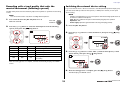
Paste the file into another folder.
NOTE
Alternatively, you can open both the source and destination folders, and drag and drop
a file. Either way is a standard computer operation.
Downloading software
Your PR7 comes with a license code that enables you to download “WaveLab LE” wave
editor software for editing audio files. Once you download and install such software on
an Internet-connected computers, you will be able to edit audio data that was recorded
on the PR7.
For more information on downloading software, refer to the Yamaha Pro Audio website.
http://www.yamahaproaudio.com/pr7/
34
Reference Manual