1
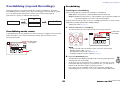
Overdubbing (Layered Recordings)
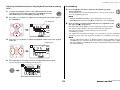
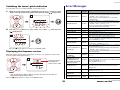
Adjusting the balance between the playback level and recording
level
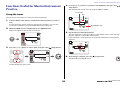
Overdubbing
1.
1.
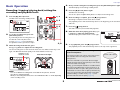
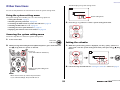
To adjust the playback volume of the original audio file and the
recording level of the audio signal to be overdubbed, press the
[REC LEVEL] button in Overdubbing Standby mode.
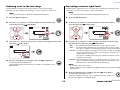
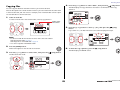
Press the [●] (Record) button while the Overdubbing Standby
screen is displayed.
The playback position will automatically return to the top of the original
file, and overdubbing will start.
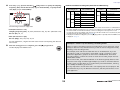
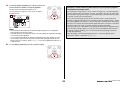
2.
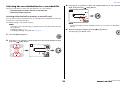
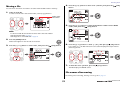
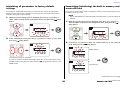
Press the [+] or [–] button to adjust the recording level of the audio signal to
be overdubbed.
NOTE
While the Overdubbing Standby screen is displayed, you can press the
[OVERDUB] button instead of the [●] (Record) button to start overdubbing.
Recording level
2.
3.
NOTE
This new audio file will contain a recording that ranges from the start till the end of the
overdubbing process. Therefore, please note that if you stop playback of the original
data in the middle of overdubbing, the new file created will end at the point at which
you stopped playback.
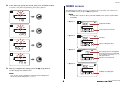
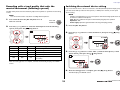
Press the [<] or [>] button to adjust the playback volume level of the original
audio file.
Playback level
4.
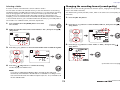
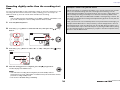
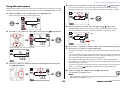
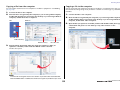
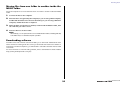
After recording is complete and the PR7 plays the original file to the
end, press the [■] (Stop) button.
New audio data will be dubbed over the original file, creating a new file.
The new file will be created in the same format with the original file.
Since the new audio file remains selected, you can continue
overdubbing if you like.
The original file is saved without change, so if you decide to redo the overdubbing
operation, you can select the original file and perform overdubbing once again.
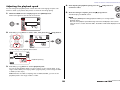
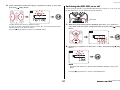
After adjusting the recording level, press the [REC LEVEL] button again.
The PR7 displays the Overdubbing Standby screen.
21
Reference Manual