1
Getting Started
Getting Started
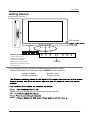
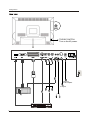
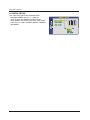
Please insert a 12cm disc
according to the silk
LED Indicator
Buttons for DVD operation
PLAY: Play the disc playing
PAUSE: Pause the disc playing
STOP: Stop the disc playing
NEXT: Play the next track or chapter
POWER
PREV: Play the previous track or chapter
EJECT: Eject the disc
(IR) Infrared Receiver: Receives IR signals from the remote control.
(Power on/Standby) LED Indicator: Press POWER to turn on and off,
Indicator on(Red)
Indicator on(Green)
Standby mode
Power on mode
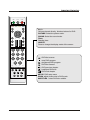
Power
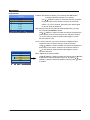
TV/AV Press to display the input source menu(see page 10).
VOL
CH
MENU