1
all-FO4700.book
Page 165 Friday, October 8, 1999
11:10 AM
Problems and Solutions
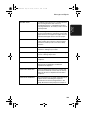
Problem
Dialling is not possible.
Solution
• Make sure the power lead is properly plugged into
a power outlet.
• Make sure that the telephone line is properly
connected to both the TEL. LINE socket and the
wall socket.
• Make sure that the fax machine is set to the correct
dialling mode for your telephone line. See Option
Setting 22 in Chapter 6.
The power is on, but no
transmission takes place.
• Make sure that the receiving machine has paper.
• Make sure that the telephone line cord is plugged
into the TEL. LINE socket, and not the TEL. SET
socket.
• If the receiving machine is in manual mode with no
attendant, reception will not be possible.
• If the receiving machine is not a Sharp model,
make sure it is G3 compatible.
• Check the display for error messages.
• Press the SPEAKER key and check for a dial tone.
Nothing is printed at the
receiving end.
• Make sure that the document for transmission is
placed face down in the feeder.
A distorted image is
received at the other end.
• If ECM mode (Option Setting 9) is turned off, noise
on the telephone line may cause distortion. Try
sending the document again.
• Make a copy of the document on your fax machine.
If the copy is also distorted, your fax machine may
need service.
165
9. Troubleshooting
Dialling and transmission problems