1
THE MINELAB EXPLORER II
ADVANCED MODE OPTION
Once you have experimented with target options and the other features of Quickstart,
it may be time to investigate the features of the Explorer II available to the advanced user.
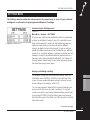
Moving to Advanced mode
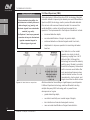
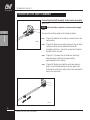
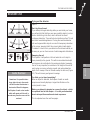
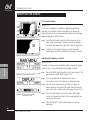
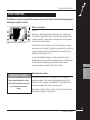
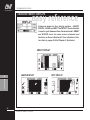
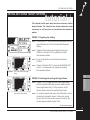
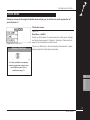
Figure 5.28, 5.29
Main Menu > Options > ADVANCED
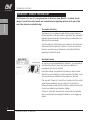
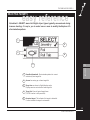
Press the MENU shortcut button, select OPTIONS from the
displayed list and then select ADVANCED mode.
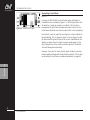
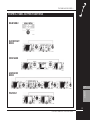
Figure 5.28 Options screen in Quickstart
Figure 5.29 Options screen in Advanced
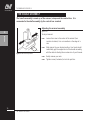
The detector moves into ADVANCED mode and a new OPTIONS
menu appears displaying the broader array of options available to
you in Advanced mode.
If you are ready for advanced detecting, read through Chapter 6:
Advanced Use. It is likely you will only need to return to this
chapter for background on basic adjustments and general
detector operation.
5
•
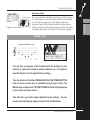
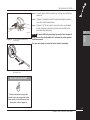
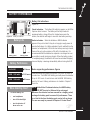
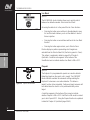
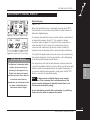
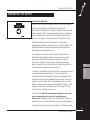
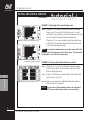
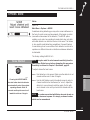
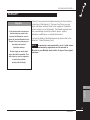
Turn the detector off
•
Press and hold the POWER button until a six-note musical
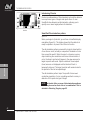
tune is sounded. The Minelab logo and the words ‘Factory
Presets’ will be briefly displayed on screen.
QUICKSTART
Just remember that it is always possible to return to Quickstart
mode. If at any time you become a little confused with the
settings for your detector, or just want to brush up on basic
detector use, it is simple to reset the Explorer II to its original
factory settings. To reset the detector:
You will be returned to the original Quickstart settings and you may
resume basic detecting or make selections from the Main Menu.
$
You are now ready to proceed to Chapter 6: Advanced Use.
ADVANCED MODE OPTION
63