1
6
n
n
n
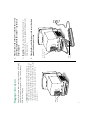
Is the keyboard cable connected correctly? (Don’t disconnect
the keyboard cable while your computer is on. You could
damage your equipment.)
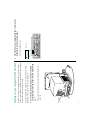
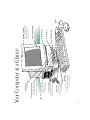
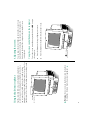
Is the computer itself turned on? Check to see if the power-on
light on the front of your computer is green. If it’s not, you
need to turn the computer on, using the main power switch
at the back of the computer.
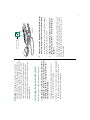
Is the computer firmly plugged into a power source? If it is
plugged into a power strip, is the power strip turned on?
If you don’t see anything on the screen, check these items to see
if you can identify the problem:
Problems starting up?
n
n
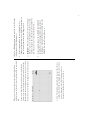
If you see a blinking question mark, you’ll need to install
system software. If your computer came with a set of floppy
disks, go to Chapter 8 of the Macintosh User’s Guide for
instructions on installing system software from floppy disks.
Make sure that the label of the Install Me First disk says
“Macintosh LC 520.” If your computer came with a CD-ROM
disc labeled CD Install Me First, see the manual titled System
Software Installation & Backup for instructions on how to
use the disc to install system software.
If you have an external hard disk attached to your computer,
is that hard disk turned on? Was it turned on before you
turned on the computer? If you’re not sure, turn everything
off as described in “Turning the Computer On and Off.” Then
turn on the external hard disk before you turn on your
computer.