1
Installing A360 Channel Manager
It is recommended that you quit all running Windows applications before starting the Aviom
A360 Channel Manager installation process. Check the Aviom website (www.aviom.com) for
the latest information about software and firmware updates and the complete line of Aviom
Pro16® and Pro64® Series products.
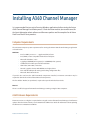
Computer Requirements
The minimum computer system requirements for running the Aviom A360 Channel Manager application
are listed below.
Windows
•
•
•
•
•
•
•
•
•
Intel® or AMD® processor — 1 gigahertz (GHz) or faster
Intel, AMD, or 100% compatible motherboard & chipset
Microsoft® Windows® 7 or 8
2 gigabyte (GB) RAM (32-bit systems) or 4 GB RAM (64-bit systems)
15 MB of free hard disk space for full installation
VGA Video (1024 x 768) - 256 colors
DirectX 9 graphics device with WDDM 1.0 or higher driver
One available USB port for storing and loading configuration files
Microsoft .Net Framework 4.0
If your PC does not have the .NET Framework components installed, an Internet connection may be
required to download and install these Microsoft components.
The free Adobe® Reader (or equivalent) is required to open the included User Guide.
Mac OS
There is no official support for A360 Channel Manager running on Apple® Mac computers.
A360 Firmware Requirements
Firmware version 3.x or higher is required when using this version of A360 Channel Manager. Get firmware
updates from the Aviom website; see the A360 Personal Mixer User Guide for information about updating
the firmware in an A360 Personal Mixer.
A360 Channel Manager User Guide
3