1
Configuration Number
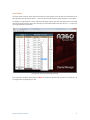
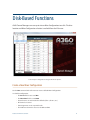
The read-only Editing: field shows the number (1-16) of the configuration currently be edited when you
open a saved configuration from disk. This field will read New if you start editing a configuration prior to
loading or saving.
A360 Personal Mixer Name
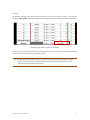
The Mixer Name: field shows the A360 Personal Mixer name that is stored in the A360. The mixer’s name
will appear in the Mixer Name field any time a saved configuration is opened from disk. To change the
name, click to edit; up to 12 characters of text can be used. When you create a new configuration without
opening one from disk, the default name A360 is displayed.
P Note: If you want to have a unique Mixer Name for each A360 in your system, be sure to save
different configurations for each one on a USB stick with a different name saved in the Mixer
Name field for each. If you load the same configuration into multiple A360 Personal Mixers,
they will all take on the same Mixer Name.
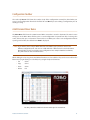
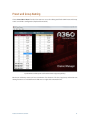
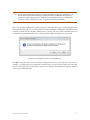
While editing, the Cut, Copy, Paste, And Delete functions are also available. They can be accessed from the
Edit menu, by right-clicking in a text field, or by using the keyboard shortcuts:
•• Cut Ctrl+X
•• Copy Ctrl+C
•• Paste Ctrl+V
•• Delete Del
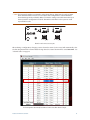
Text editing commands are available in the edit menu and the right-click contextual menu.
A360 Channel Manager User Guide
13