1
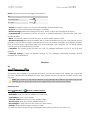
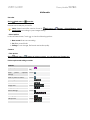
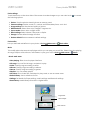
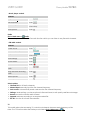
USER GUIDE Cherry Mobile T8 To manage widgets, Go to Main menu > PRO Settings > Phone settings > Widget manager. Text entry Keyboard You can slide down your phone to use the keyboard, or you can use the keyboard on your screen by touching the text field. Phonebook Go to: Main menu > Phonebook. • Search a contact This feature allows you to store phone numbers and their corresponding names in the memory of your SIM card or phone. To Call Touch . Write message Touch . Edit Touch . Add new contact Select Add new contact to add a new entry into SIM or Phone memory. You can edit information of contacts such as name and number. • Caller groups You can add new groups such as Friends, Family and Business. This option also allows you to set group settings such as caller picture, caller ringtone and caller video. Phonebook settings Preferred storage: Select the default storage location. Speed dial: Set the numbers for speed dialing. My number: Edit and send owners number. Extra numbers: Edit owner numbers and set fixed dial. Memory status: the memory status of SIM card and Mobile