1
DigiPoS Retail Blade ™ Manual
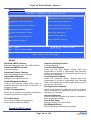
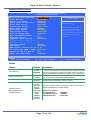
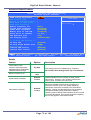
Details Cont.
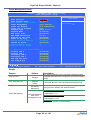
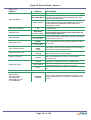
Feature
Options
Blank Screen
V/H SYNC+Blank
Video Off Method
DPMS Support
Video Off in Suspend
Suspend Type
Suspend Mode
HDD Power Down
CPU THRM-Throttling
Wake-Up by PCI card
Power On by Ring
Yes
No
Stop Grant
PwrOn Suspend
Disable
From 1 min
to 1 hour Max
Disable
From 1 min
to 15 min Max
75.0%
50.0%
25.0%
Disabled
Enabled
Disabled
Enabled
Disabled
Enabled
Resume by Alarm
Date of Month
Time
Description
This option only writes blanks to the video buffer.
This selection will cause the system to turn off the
vertical and horizontal synchronization ports and write
blanks to the video buffer.
Select this option if your monitor supports the Display
Power Management Signalling (DPMS) standard of the
Video Electronics Standards to select video power
management values.
Defines what state your monitor will go into when in
suspend mode.
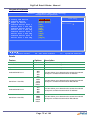
Default Setting is Stop Grant
(Do Not change this setting unless instructed to do
so by DigiPoS Systems)
After the selected period of system inactivity, all devices
except the CPU shut off.
This is the period of inactivity required before the HDD
shuts down
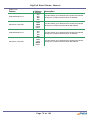
This option controls the CPU speed as a percentage of
normal power during suspend mode.
Enabling this option will let the Retail Blade™ wake-up
via a PCI device or the LAN interface.
If you connect an external modem, enabling this option
will let the Retail Blade™ power on if the modem
receives a call.
If enabled, this option allows the Retail Blade™ to be
powered on at a specific time, on a specific date.
Enter the specific day you require the unit to
automatically power on or enter 0 for everyday
Enter the time you require the unit to automatically power
on
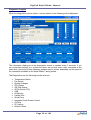
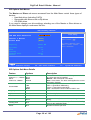
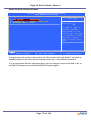
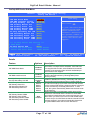
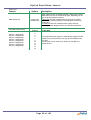
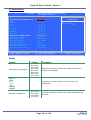
Reload Global Timer Events
Primary IDE 0
Primary IDE 1
Secondary IDE 0
Secondary IDE 1
FDD,COM,LPT Port
PCI PIRQ[A-D]#
Disabled
Enabled
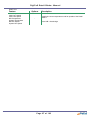
If any of these devices are enabled, any activity on the
enabled device will cause the standby countdown to be
re-set.
Page 83 of 103