1
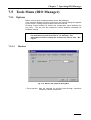
10.5.1.4 Error Detection
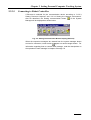
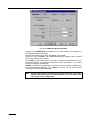
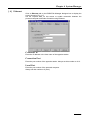
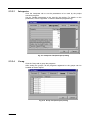
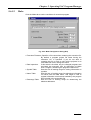
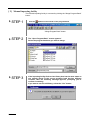
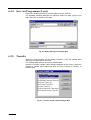
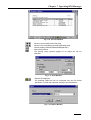
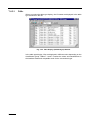
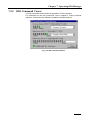
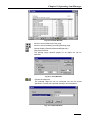
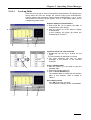
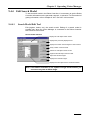
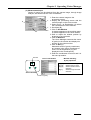
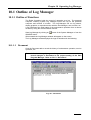
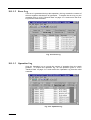
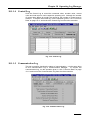
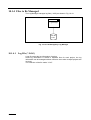
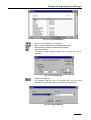
Click the Error Detection tab to specify the processing performed upon
generation of an error.
The detection condition of errors displayed in ERROR DETECTION in the main
Log Manager window, conforms to the setting in ERROR DETECTION of the
SET dialog box.
For more information on Error Detection in the Log Manager window, refer to
“10.1.1.7 Error Detection”. For actual error detection, the Controller must be
constantly supervised. Detect errors by turning ON the MONITOR button in the
Log Manager window.
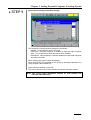
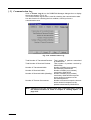
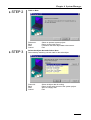
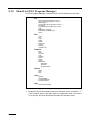
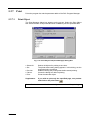
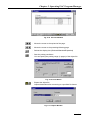
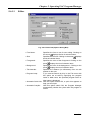
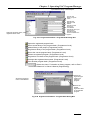
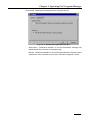
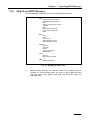
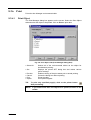
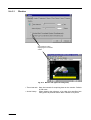
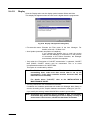
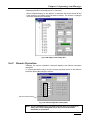
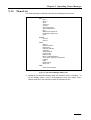
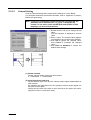
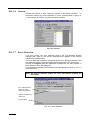
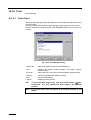
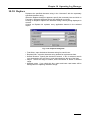
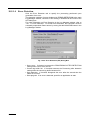
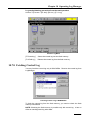
Fig. 10-30 Error Detection (Set) Dialog Box
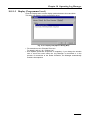
• Servo error: If checked, executes the PROCESSING AFTER DETECTION
setting when a servo error occurs.
• Control log buffer full: If checked executes the Processing after detection
setting when the control log buffer becomes full.
• Stop detection: If checked, disregards the error after the second time the
same error occurs.
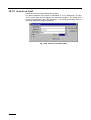
• Start program: If an error is detected, specifies an application to start.
10-24