1
AXIS 70/70U User’s Guide
Basic Installation
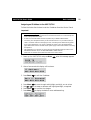
Verifying the Network Settings
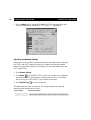
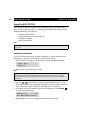
Access the Advanced menu from the AXIS 70/70U control panel to verify that
your chosen network settings are correct, as described below:
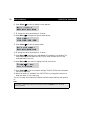
1. To access the Advanced menu, press and hold down Menu
and Select
simultaneously.
2. Use
to find the Network Settings option.
3. Press Select
to enter the submenus.
4. Use
to scroll through and check the parameter settings.
Verifying the Installation
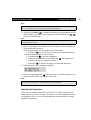
Upon successful installation, the AXIS 70/70U will identify the attached
scanning device and display its name. If the connected scanning device is not
supported, an error message will be displayed.
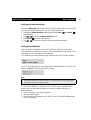
If no destinations have previously been specified, the AXIS 70/70U displays:
If one or more destinations have already been specified, the AXIS 70/70U will
display (xxxxxx is the first Destination Name):
Note:
•
The Destination Name is the text that appears in the destination list on the message display.
•
Destinations are sorted in alphabetical order.
To verify the installation, access the AXIS 70/70U using a standard Web
browser such as Netscape Navigator or Microsoft Internet Explorer, as
described below:
1. Place a document in the scanning device.
2. Start your Web browser.
3. Enter the name or IP address of your AXIS 70/70U in the location/address field
of your Web browser.
13