1
GB
HC
12.6
4.2 Selecting the wheelsize
Your computer VDO HC 12.6 indicates your wheel size as WS (Wheelsize) = wheel circumference. Your VDO HC 12.6 is able to process two different
wheelsizes for two different bikes (i.e. road bike and mountainbike)
The following default values are preset
Wheelsize 1 WS1 = 2155 mm wheel circumference
Wheelsize 2 WS2 = 2000 mm wheel circumference
Warning: After a battery change the above defaults are automatically applied.
After a battery change, you have to re-enter the precise values for your bike.
4.2.1 How is the wheelsize precisely determined??
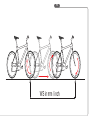
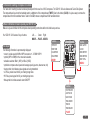
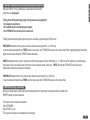
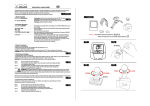
Place the front wheel of your bike with the valve at the bottom, mark this position with a line and push your bike ahead until exactly one rotation
of the front wheelis completed. Draw another line where the valve now is. Take a ruler and measure the distance between marks 1 and 2 which
reflects the wheelsize = wheel-circumference. The figure measured (inches or mm) is the wheelsize to be entered into your computer.
P9
If you have selected MPH readout you must enter your wheelsize in inches.
If you have selected KMH readout you must enter your wheelsize in mm.
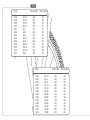
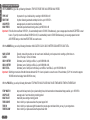
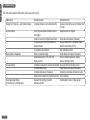
Standard wheelsizes and respective values in mm and inches.
P10
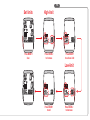
4.2.2 How to switch from wheelsize 1 to wheelsize 2
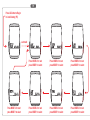
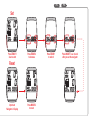
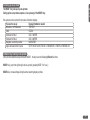
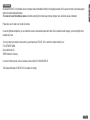
You can switch from wheelsize 1 (WS 1) to wheelsize 2 (WS 2) and vice-versa by pressing the MODE 1+ MODE 2 button for 3 sec.
8