1
8
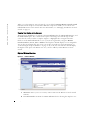
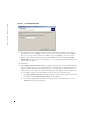
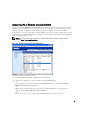
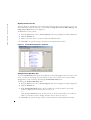
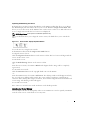
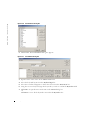
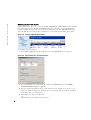
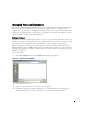
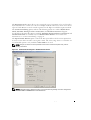
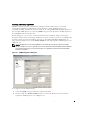
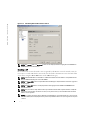
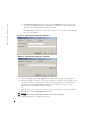
The Configure Tiered Switches dialog box appears if the Remote Console Switch Software
detects an attached legacy switch. This dialog box contains a list of all SIP and Avocent
AVRIQ EIDs retrieved from the Remote Console Switch and the tiered switches to which
they are connected, if any.
a
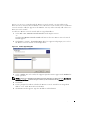
The Existing Tiered Switches field contains a list of all the current switches defined in
the database. You may add to, delete or modify the list.
b
Associate the appropriate switch from the drop-down lists for each SIP that has a
switch attached.
Figure 3-6.
9
Configure Tiered Switches Dialog Box
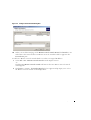
When complete, click Finish to exit the Wizard and return to the main window. Your
Remote Console Switch should now be in the Unit Selector pane.
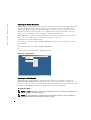
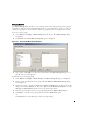
To discover a Remote Console Switch:
1
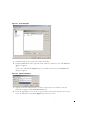
Select Tools - Discover from the Explorer menu. The Discover Wizard appears. Click Next
to continue.
2
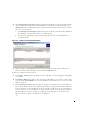
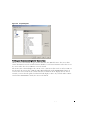
The Address Range page appears. Type the range of IP addresses you wish to search on the
network in the To and From boxes. Use the IP address dot notation xxx.xxx.xxx.xxx. Click
Next to continue.
3
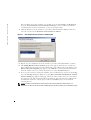
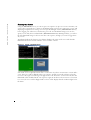
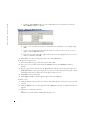
The Searching Network progress bar appears. Progress text indicates how many addresses
have been probed from the total number specified by the range and the number of Remote
Console Switches or Avocent Remote Console Switches found. If one or more new Remote
Console Switches or Avocent Remote Console Switches are discovered, the Wizard shows
the Select Remote Console Switches to Add page. From this page, you can choose the
Remote Console Switches to add to the local database.
-or-
Basic Operation
21