1
Connecting the printer
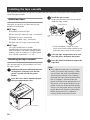
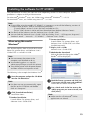
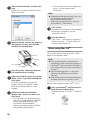
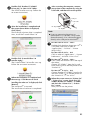
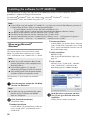
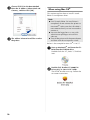
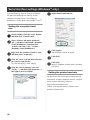
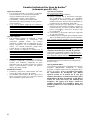
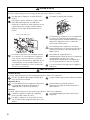
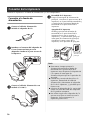
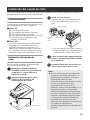
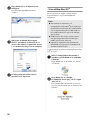
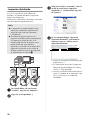
Connect the printer to the power source and a computer.
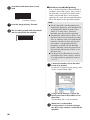
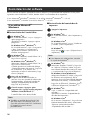
Turning on the printer
Connecting to the power
source
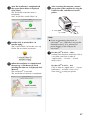
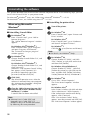
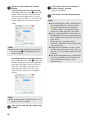
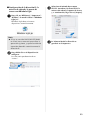
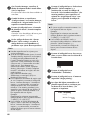
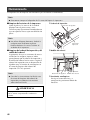
Connect the included power supply cord
1 to the AC adapter.
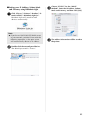
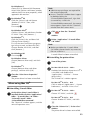
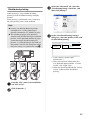
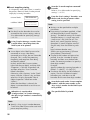
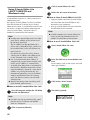
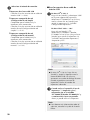
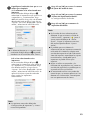
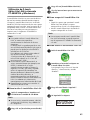
4 Turn on the main power switch on the
back of the printer, and then press the
power button on the front of the printer.
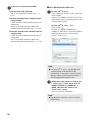
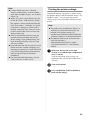
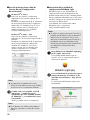
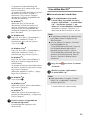
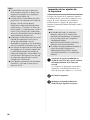
Turning off the printer
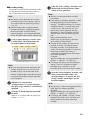
Hold down the power button on the front
of the printer until the printer is turned off,
and then turn off the main power switch
on the back of the printer.
STA TUS
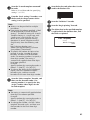
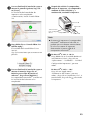
Insert the AC adapter connector into the
2 AC adapter jack on the back of the
STATUS
printer.
Main power
switch
Power
button
DC IN 24V
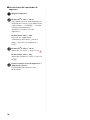
Note
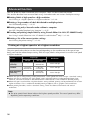
● Always turn the power off first using the
DC IN
24V
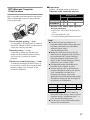
Plug the power supply cord into an
3 electrical outlet (AC 120 V).
DC IN
power button on the front of the printer
before removing the AC adapter or
turning off the main power switch.
● After using the printer, remove the power
supply cord from the electrical outlet and
the AC adapter from the printer and store
for future use.
● When removing the AC adapter, do not
pull the AC adapter cord. The wire in the
AC adapter cord may break.
● Do not use any AC adapter other than the
one included with the printer. Otherwise
the printer may malfunction.
24V
15