1
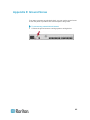
Appendix D: Two-Tier System
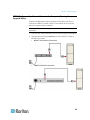
How to Connect MCCAT18/116 Switches to the Base Switch
A "one-user" MCCAT switch requires one MCIM-PS2 for connecting to the
base switch.
Do NOT use MCUTP cables or any CIM other than MCIM-PS2 to
connect "one-user" MCCAT switches to the base switch.
To connect "one-user" MCCAT switches to the base switch:
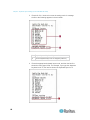
1. Turn OFF all MCCAT switches.
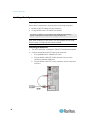
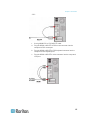
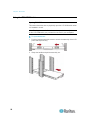
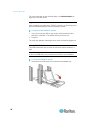
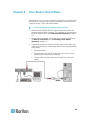
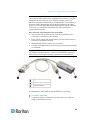
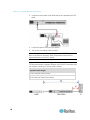
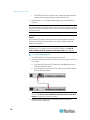
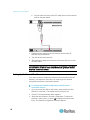
2. Connect one MCIM-PS2 to the MCCAT18 or MCCAT116 switch that
has been programmed as a second-tier device:
a. Plug the MCIM's PS/2 keyboard connector into the PS/2 keyboard
port on the second-tier MCCAT switch.
b. Plug the MCIM's PS/2 mouse connector into the PS/2 mouse port
on the second-tier MCCAT switch.
c.
Plug the MCIM's video connector into the VGA port on the
second-tier MCCAT switch.
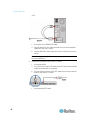
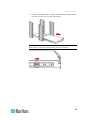
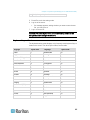
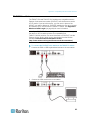
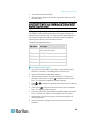
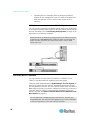
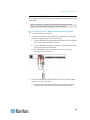
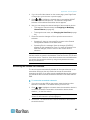
3. Connect the second-tier MCCAT switch to the first-tier switch (base
switch) via a Cat5 UTP cable.
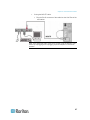
a. Plug one end of the Cat5 UTP cable into the RJ-45 port of the
MCIM being connected with the second-tier MCCAT switch.
91