1
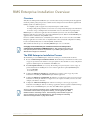
RMS Enterprise Installation Checklist
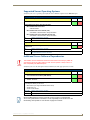
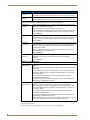
Supported Server Operating Systems
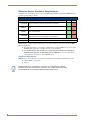
Verify that your server’s operating system (OS) meets the minimum requirements for RMS Enterprise:
Server Operating System (OS)
Do you have a compatible server OS installed?
Yes
No
Yes
No
Supported Microsoft Server Operating Systems:
Microsoft Windows Server 2012
• Standard Edition
Microsoft Windows Server 2008 R2 (x64):
• Web Edition / Standard Edition / Enterprise Edition
Microsoft Windows Server 2008 SP2 (x86 and x64):
• Web Edition / Standard Edition / Enterprise Edition
Yes
Please continue to the next step.
No
You must obtain a compatible server OS to install RMS.
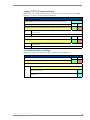
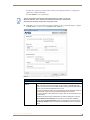
Do you have an administrative account to the server where RMS will be installed?
Note: RMS is a system level application and requires administrative access to install and
configure RMS.
Yes
Please continue to the next step.
No
You must obtain an administrative logon account, or logon to the server with a user account that
has administrative access to the server.
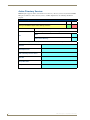
Additional Server Software Dependencies
The software versions mentioned below have been tested successfully by AMX. No
assumptions should be made relative to other versions (earlier or later) in terms of
their compatibility with RMS Enterprise.
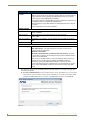
Verify that your server has all required software installed (check the appropriate boxes below):
Additional Software Dependencies
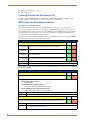
Does your server have all required software installed?
Yes
No
• Java 6 Runtime Environment (SUN JRE 6.0)
• Tomcat - version 6
Note: The following applications are not required on the server, but would be needed in order to view the RMS
UI and help files directly on the server.
• Web Browser (see Supported Web Browsers below)
• Adobe Flash v10
• Adobe Acrobat Reader
Yes to all
Please continue to the next step.
No to any
Install any required software that is not present on the Server.
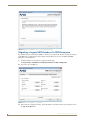
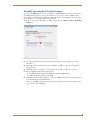
Because RMS Enterprise requires a specific version of Java, it is important that
Java’s auto-update feature is disabled, to avoid compatibility issues in the future. See
the Disabling Auto-Update For Java section on page 16 for details.
RMS Enterprise - Installation Checklist
7