1
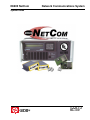
D6600 NetCom
Contents
1.0
Introduction......................................................................................................... 9
1.1
1.2
1.3
1.3.1
1.3.2
Manual Organization ................................................................................................................................. 9
Other Literature Referenced ...................................................................................................................... 9
Documentation Conventions.................................................................................................................... 10
Type Styles Used in this Manual.............................................................................................................. 10
Tips, Important Notes, Cautions and Warnings......................................................................................... 10
2.0
D6600 NetCom Overview ................................................................................. 11
2.1
2.2
2.3
2.4
2.5
2.6
D6600 NetCom Pre-Installation Requirements ......................................................................................... 13
D6600 Receiver/Gateway NetCom Installation ......................................................................................... 14
Installation of the Optional D6672 Serial COM1 Expansion Kit .................................................................. 17
Setting Up the Host Computer ................................................................................................................. 17
Host Computer D6200 Installation ........................................................................................................... 20
Host Computer D6200 Security Key Protection Overview ......................................................................... 20
3.0
Configuration of the D6680 Network Adapter(s)............................................ 21
3.1
3.2
3.3
3.4
3.5
3.6
3.7
3.8
3.9
Factory Default IP Address...................................................................................................................... 21
Identifying the MAC Hardware Address.................................................................................................... 21
Obtaining an IP Address.......................................................................................................................... 21
Initial Assignment of the IP Address using ARP........................................................................................ 22
Verification that the IP Address Assigned is Correct ................................................................................. 23
Using Telnet to Finish the Configuration................................................................................................... 24
Programming the D6600 Communications Receiver/Gateway Overview ................................................... 28
Configuring for Network Communication via a D6680 Network Adapter..................................................... 28
Editing Program Parameters.................................................................................................................... 29
4.0
D6200 Programming Software Overview........................................................ 31
4.1
4.2
4.2.1
4.2.2
4.3
4.4
4.4.1
4.4.2
4.4.3
4.5
4.6
4.7
4.8
4.9
4.10
4.11
4.11.1
4.11.2
4.11.3
4.11.4
4.11.5
4.11.6
4.12
4.12.1
4.12.2
4.12.3
4.12.4
4.12.5
D6200 Software Password Protection...................................................................................................... 31
Upgrading the Firmware Files in the D6600 via the D6200 Software ......................................................... 32
Finding the Firmware version number ...................................................................................................... 32
Firmware Files Upgrade Procedure.......................................................................................................... 33
D6200 Program Access Rights - Restricting Access for Low Level Users.................................................. 37
D6200 User Management - Adding Authorized Administrator Users.......................................................... 37
Adding a User ......................................................................................................................................... 38
Editing an Existing User .......................................................................................................................... 38
Deleting an Existing User ........................................................................................................................ 38
D6200 Save and Restore User Management Files ................................................................................... 39
Changing User Password........................................................................................................................ 39
Opening/Editing D6600 Configuration Files on Host PC............................................................................ 40
Reading D6600 Configuration Files Using the D6200 ............................................................................... 41
Viewing & Editing D6600 Configuration Files Using the D6200 ................................................................. 42
Sending Configuration Files from the D6200 PC to the D6600 Receiver.................................................... 43
Managing Field Unit Accounts in the D6600 ............................................................................................. 43
Previous Reading of Account Database ................................................................................................... 43
First Time Reading of Account Database ................................................................................................. 43
Adding an Account in the Database ......................................................................................................... 44
Editing the Account Database.................................................................................................................. 48
Copying Account Information................................................................................................................... 49
Deleting an Account from the Database ................................................................................................... 49
Account Status Procedures ..................................................................................................................... 50
Searching the Account Database............................................................................................................. 50
Sorting Database Information .................................................................................................................. 50
Status ..................................................................................................................................................... 50
Status Changed Time.............................................................................................................................. 50
Show Account Status .............................................................................................................................. 50
D6600 NetCom System Guide
© 2001 Radionics
Page 3
46542C