1
D6600 NetCom
D9133TTL Configuration
5.8
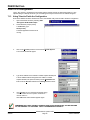
Using Telnet to Finish the Configuration
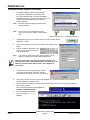
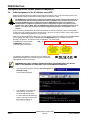
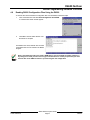
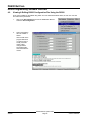
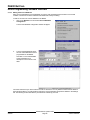
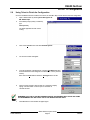
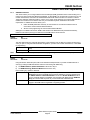
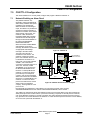
Once the IP address has been verified to be correct, the TELNET utility must be used to finish the configuration.
1.
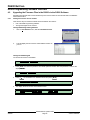
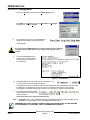
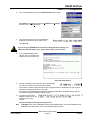
Open a DOS window by selecting Start à Programs à
MS- DOS Prompt
2.
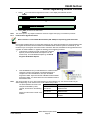
At the DOS prompt (usually C:\windows),
type
telnet [ENTER] .
The telnet application should now be
running.
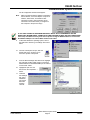
3.
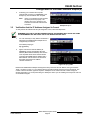
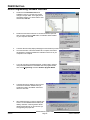
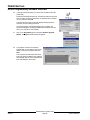
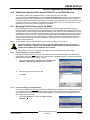
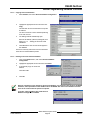
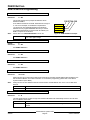
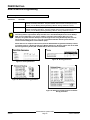
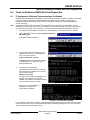
Click on the Connect menu and select Remote System.
4.
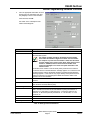
The Connect window will appear.
5.
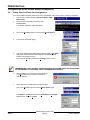
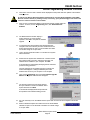
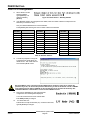
Type the IP address of the D9133TTL-X into the Host Name field (this
is the IP address that was assigned to the D9133TTL-X in the previous
section).
Enter 1 into the Port field and leave the TermType field at "vt100".
6.
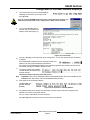
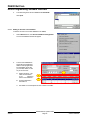
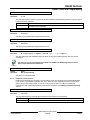
Click [Connect] and wait a few seconds for a message to display
saying "’Connect Failed’ Could not open a connection to
190.200.128.220.”
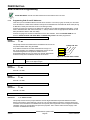
REMEMBER THAT THE IP AND MAC ADDRESS USED IN THIS EXAMPLE WILL NOT BE THE SAME
AS THE NUMBERS YOU ARE USING. THIS IS FOR DEMONSTRATION ONLY!
7.
Click OK and the Telnet window will appear again.
© 2001 Radionics
D6600 NetCom System Guide
Page 57
46542C