1
D6600 NetCom
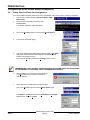
RAM IV NetCom Programming
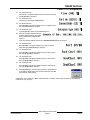
0101
0101
0101
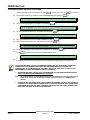
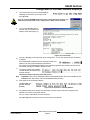
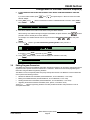
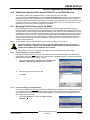
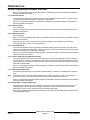
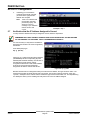
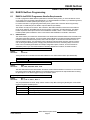
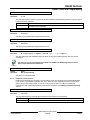
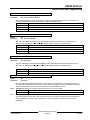
Enable Ext Modem must be set to NO if Enhanced Communications are to be used.
Programming
Note
6.1.4
Programming Path #'s and IP Addresses
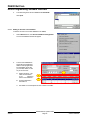
There are up to four available Paths that events can be routed to. If an event (or group of events) is to be routed
to an SDI Path, the number that is entered in Primary Device will determine which SDI Path will be used (as long
as RG# Prim, Primary SDI has been set to Yes in Routing as well).
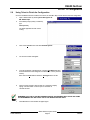
If events are going to be routed to an IP Address (in a Private Local or Wide Area Network application), you will
need to determine which Path will be used (Path 1 – Path 4) and then enter the appropriate IP Address for that
Path (see Path # IP Add1 to Path # IP Add4).
If events are going to be routed to an SDI Path but not to an IP Address , leave the Path # IP Add# set to 0.
However, Path # Poll Rate, Path # Ack Wait, and Path # Retry Count must still be programmed.
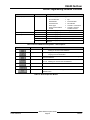
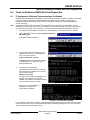
Path # IP Add1
Default:
Selections:
0
0 – 255
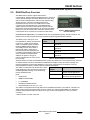
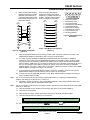
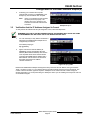
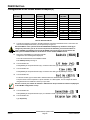
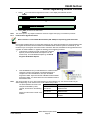
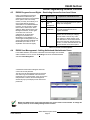
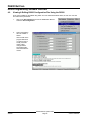
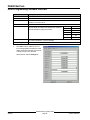
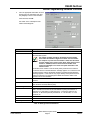
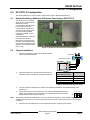
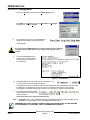
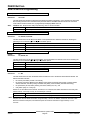
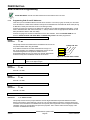
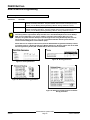
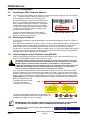
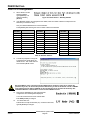
This prompt and the next 3 determine the IP Addresses for each of the
four paths available when using the D5200.
An IP Address consists of four fields. Each field has a range of 0 –
255. As an example, an IP Address is expressed as 110.227.64.190.
The D5200 Programmer has split the IP Address into four
programmable fields. Be sure you contact your network administrator
to find out exactly which IP Address events are to be sent to.
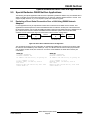
110.227.64.190
Path # IP Add1
Path # IP Add2
Path # IP Add3
Path # IP Add4
Figure 25: Path # IP Add1 to Add4
0 – 255
Enter the first three digits of the IP Address. Leading zero’s are not required if the first field
is one or two digits in length.
Path # IP Add2
Default:
Selections:
0
0 – 255
See Path 1 IP Add1.
Path # IP Add3
Default:
Selections:
0
0 – 255
See Path 1 IP Add1.
Path # IP Add4
Default:
Selections:
0
0 – 255
See Path 1 IP Add1.
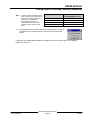
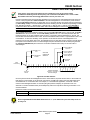
Path # Poll Rate
Default:
Selections:
0
0, 5 – 65535 seconds
This prompt and the next two prompts determine how the Signal Path will be supervised between the 9000
Series Control and the central station(s). This is not to be confused with the supervision of the SDI device (the
connection of the SDI device to the 9000 Series control panel). Each Signal Path can be configured to transmit a
‘heartbeat’ event to the central station for supervision purposes. This is used to make sure the integrity of the
connection is established at all times.
46542C
D6600 NetCom System Guide
Page 66
© 2001 Radionics