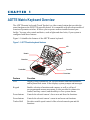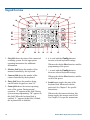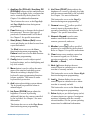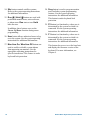
1
Displaying the Firmware Version
Firmware is the computer instructions programmed into the matrix keyboard. It is unlikely
that you will ever need to know the firmware version of the keyboard. However, if you
should experience a problem with the keyboard, you may need to provide information about
the firmware version.
To display the firmware version:
1. Enter 100 and press F1.
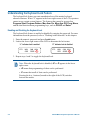
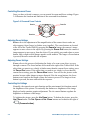
Firmware information appears on the LCD.
Firmware version
F 0701-2840-0100
EEPROM version
E 0701-2839-0100
• Information appearing after the “F” is the Flash version.
• Information appearing after the “E” is the EEPROM version.
2. Press Clear to refresh the LCD display.
Setting the Baud Rate
The matrix keyboard supports four baud rates: 1200, 2400, 4800, and 9600 baud. The default
setting for the baud rate is 1200.
!
IMPORTANT
If you set the baud rate incorrectly, the keyboard will not operate. Be sure the
baud rate is set to the correct value.
To change the baud rate setting:
1. Enter the baud rate value (1200, 2400, 4800 or 9600).
2. Press F1 (located to left of the LCD).
No prompts appear on the screen to inform you that the baud rate has been changed.
4-4
ADTTE Matrix Keyboard Operator's Manual