1
Note: If you only want to view the router’s configuration settings:
⇒ Click Skip.
If you attempt to change any of the router’s configuration settings while
in View-Only mode, you will again be prompted for the write enable
Login Password.
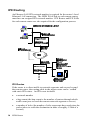
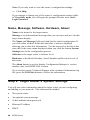
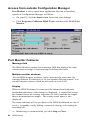
Name, Message, Software, Hardware, About
Name is the name for the target router.
Message is an informational message that you can enter and save for this
target router display.
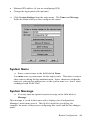
The Name and Message fields are blank for the initial configuration. If
you click either of these fields after the label, a menu is displayed
allowing you to alter this information. You do not need to do this at this
time; this is the same menu displayed when you click the button System
Settings later in the configuration process.
Software is the target router’s software level.
Hardware is the Model Number, Serial Number and Revision Level of
the router.
The About button is used to display Configuration Manager’s version
number, date, and SNMP DLL version.
If you need to supply Technical Support with a technical information log
file, press the Tech Info button to collect the information.
Step 2. Target Router’s System Settings
You will now enter information about the target router you are configuring
and adding to your network. This information includes:
•
The system name
•
An optional system message
•
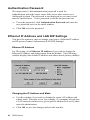
A dial authentication password
•
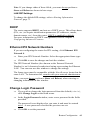
Ethernet IP address
•
DHCP
40 ISDN Router