1
4.
In the terminal window, enter the following commands to set, save,
and verify the router’s LAN address and enable IP routing:
login admin (admin is the default password)
eth ip addr x.x.x.x y.y.y.y
where:
x.x.x.x (IP address)
y.y.y.y (subnet mask for the router’s LAN connection)
Ex: 192.168.254.254 255.255.255.0
Note: Please refer to Appendix B, Subnetwork Tables, or ask your
network administrator to determine which addresses are valid.
eth list
(This command lists the settings for the Ethernet LAN IP address and
subnet mask as well as the port number)
save
reboot
5.
Close the terminal window.
6.
Click the Connect button in Configuration Manager.
7.
Enter the same IP address you just assigned to the router.
8.
Verify that you have set the router’s LAN connection address and subnet
mask correctly.
WAN Port Monitor
An ISDN port monitoring function is available to you, once you have
connected to the router. If you use a router with POTS features, a POTS
Monitor can also be displayed along with the ISDN Port Monitor.
Access WAN Port Monitor
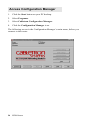
Access from Configuration Manager
⇒ Connect to the router.
⇒ From Configuration Manager’s main menu, click Tools.
⇒ Click WAN Port Monitor. The ISDN Monitor will be displayed.
Management Tools
83