1
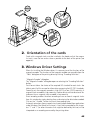
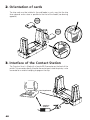
2. Orientation of the cards
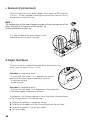
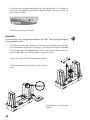
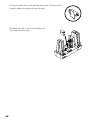
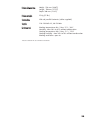
Cards with a magnetic track must be installed in the feeder so that the magnetic track is near the low and as close as possible to the back of the printer (see
opposite) :
0,8 mm
0,5 mm
1 mm
0,25 mm
3. Windows Driver Settings
When first installing the Windows driver, it is necessary to set the functions of the
magnetic encoder. The functions of the magnetic encoder are accessible from the
"Tools" dialog box of the printing driver by clicking "Encoding Definition".
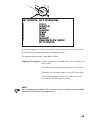
“Magnetic Encoder” dialog box
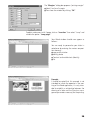
The “Magnetic Encoder” dialog box opens on selecting the "Encoding Definition"
button.
Track format allows the choice of the required ISO standard for each track. See
table in point 4 of this annexe for information concerning the ISO 7811 standards.
Coercivity sets the magnetic encoder in high (HICO) or low (LOCO) coercivity. A
magnetic track encoded in high coercivity is better able to withstand external disturbances than a magnetic track encoded in low coercivity.
Direct encoding enables the direct encoding of one or several magnetic tracks
from this window by simply selecting them and entering the data to be encoded.
Click on the " Encode " button to launch the encoding cycle.
Automatic extraction allows magnetic track cards to be encoded from applications
under Windows (like Word, for instance). A text field surrounded by the characters “|” and “|” (or other characters that might be defined by the user) will be
interpreted as an encoding command by the printing driver.
45