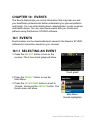
1
5
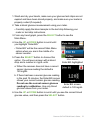
2. P
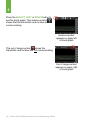
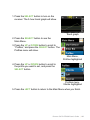
ress the RIGHT or SELECT button to
highlight each value in the date and time.
3. Press the UP or DOWN button to make
any changes.
4. P
ress the RIGHT button to move to the
next value.
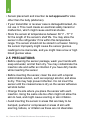
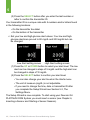
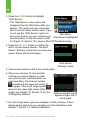
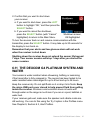
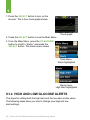
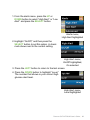
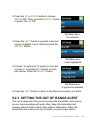
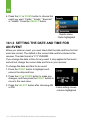
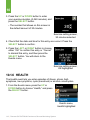
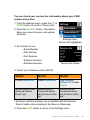
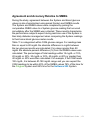
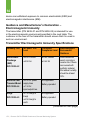
The date format is YYYY/MM/DD.
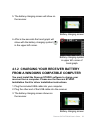
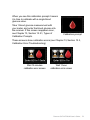
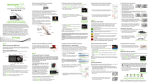
Time/Date setting screen,
year highlighted
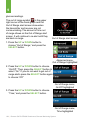
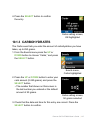
5. P
ress the SELECT button after choosing
“AM” or “PM.” You will return to the Settings menu.
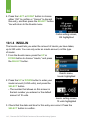
You might need to reset the receiver’s time and date if the rechargeable
battery drains. If this happens, the receiver will alert you and
automatically take you to the Time/Date setting screen.
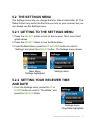
5.2.3 ENTERING YOUR TRANSMITTER ID
Any time you switch to a new transmitter and/or receiver you must enter
the transmitter ID into your receiver. The transmitter ID is a series of 5
numbers and/or letters that can be found in the following locations:
• On the transmitter box label
• On the bottom of the transmitter
If you cannot find your transmitter ID, please contact Dexcom Technical
Support (see Chapter 15, User Assistance).
You can only set your transmitter ID when you are not in a sensor
session. During a sensor session, “Transmitter ID” will not be an option
on the Settings menu.
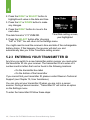
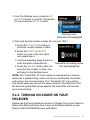
To enter the transmitter ID follow these steps:
48 | Dexcom G4 PLATINUM Continuous Glucose Monitoring System