1
chapter
4
Desk Accessories
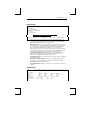
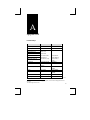
Clock
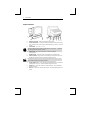
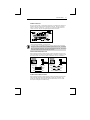
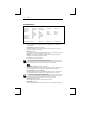
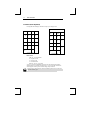
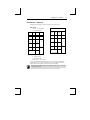
Pressing CTRL-F1 will display a clock overlay on your video screen.
Date
Time Set
Display
Type
Column
Alarm Set
Tone
Jan. 1, 1995
12:00 AM
Off
12
48
12:00 PM
Alarm/Hourly
Pressing the SHIFT key and ↑, ↓, ← or → will position the clock display anywhere on
your screen. Do not hold cursor keys down (typamatic) when using Desk Accessories.
Press and release cursor keys for proper movement.
Use the following keys to make changes:
þ
Up- or down-arrow keys – to enter the field you desire to change.
þ
Left- or right-arrow keys – selects the desired parameter to be changed.
þ
Spacebar – move through options available for this field.
þ
ENTER (num) – revert to the default setting for the current field.
þ
ESC – exit clock and save settings.
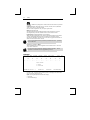
Time parameters are lost when power is turned off.
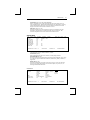
Date – enables you to enter the current date.
Time Set – enter the current time of day.
Display – choice to display Time, Date, or Time and Date on the top of your display
screen. Select Off for no display.
Type – select a 12 or 24 hour clock setting.
Column – select column display from column 48 thru 99.
39