1
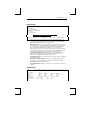
BELL Menu
35
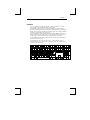
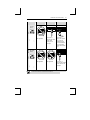
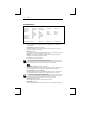
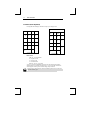
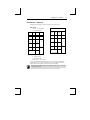
To program function keys through the Setup Menu, you should press the FUNCT key
and the function key to be programmed. You should notice the function key
representation change to the representation for the key to be programmed.
Use left Alt key for the PC+ keyboard.
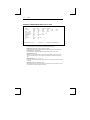
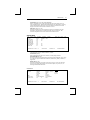
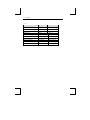
Function Keys Representation
ASCII
PC/+
Normal
Shift
FUNCT+
Alt+
F01
f01
FUNCT+
Alt+
F02
f02
FUNCT+
Alt+
F03
f03
FUNCT+
Alt+
F04
f04
FUNCT+
Alt+
F05
f05
FUNCT+
Alt+
F06
f06
FUNCT+
Alt+
F07
f07
FUNCT+
Alt+
F08
f08
FUNCT+
Alt+
F09
f09
FUNCT+
Alt+
F10
f10
FUNCT+
Alt+
F11
f11
FUNCT+
Alt+
F12
f12
FUNCT+
Alt+
F13
f13
FUNCT+
Alt+
F14
f14
FUNCT+
Alt+
F15
f15
FUNCT+
Alt+
F16
f16
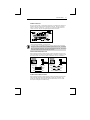
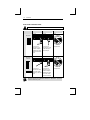
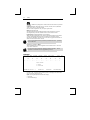
BELL Menu
EXEC1 GLOBAL
COMM1
0
Volume
1
AUX/COMM2
2
3
KEYBOARD1
4
----------------------------------------→
S - Sound Alarm
5
SCREEN1
6
7
VISUAL1
8
MODE1
TAB1
FUNCT1
BELL