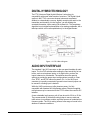
1
ANTENNA
The PTX-3’s ANTENNA connector is a standard 50 ohm BNC
connector, which can accept an integral whip or a cable to a remote
antenna.
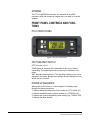
FRONT PANEL CONTROLS AND FUNCTIONS
PTX-3 FRONT PANEL
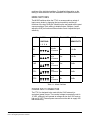
Figure 1-4: PTX-3 Front Panel
OFF/TUNE/XMIT SWITCH
OFF Turns the unit off.
TUNE Allows all functions of the transmitter to be set up, without
transmitting. The operating frequency may only be selected in this
mode.
XMIT Normal operating position. The operating frequency may not be
changed in this mode, though other settings may be changed, so long
as the unit isn’t “Locked”.
POWER UP SEQUENCE
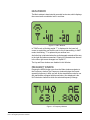
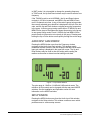
When power is first turned on, the front panel LCD display steps
through the following sequence.
1. Displays Model and frequency block number (e.g. PTX-3 BLK 25).
2. Displays installed firmware version number (e.g. VERSION 1.0).
3. Displays the current compatibility mode setting (e.g. COMPAT IFB).
4. Displays the Main Window.
1-6
Vitec Group Communications
PTX-3 UHF Digital Hybrid IFB Transmitter