1
all-Fo50A.book
Page 1
Friday, October 1, 1999
5:32 PM
Quick Reference Guide
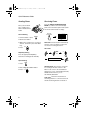
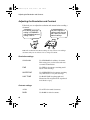
Entering Your Name and
Number
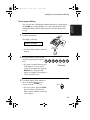
Setting the Date and Time
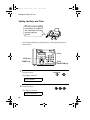
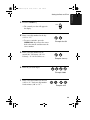
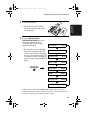
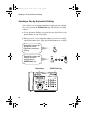
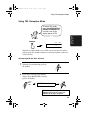
1. Press:
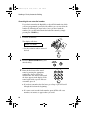
1. Press:
FUNCTION
FUNCTION
3
3
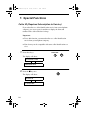
Display shows: DATE & TIME SET
Display shows: OWN NUMBER SET
2. Press:
2. Press:
START
START
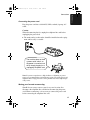
3. Enter two digits for the day (01 to 31).
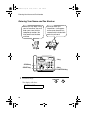
3. Enter your fax number (max. of 20 digits)
by pressing the number keys.
4. Enter two digits for the month (01 to 12).
• To insert
5. Enter four digits for the year (Ex: 1999)
a space between digits, press
the # key. To enter “+”, press the * key.
• If you make a mistake, press the SPEED
DIAL key to backspace and clear the mistake.
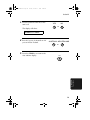
4. Press:
6. Enter two digits for the hour (00 to 23)
and two digits for the minute (00 to 59).
7. When finished, press:
STOP
START
START
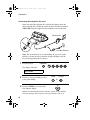
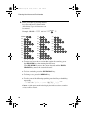
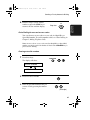
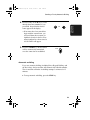
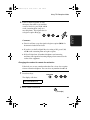
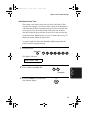
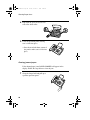
5. Enter your name by pressing the appropriate number keys as shown below.
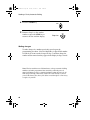
Storing and Clearing Auto
Dial Numbers
• To enter two letters in succession that
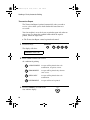
1. Press:
require the same key, press the
SPEAKER key after entering the first letter.
SPACE =
J=
T=
A=
K=
U=
B=
L=
V=
M=
W=
N=
X=
O=
Y=
P=
Z=
C=
D=
E=
F=
G=
R=
I=
S=
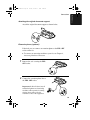
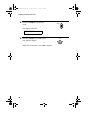
Display shows: FAX/TEL # MODE
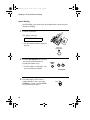
3. Enter a 2-digit Speed Dial number (from
01 to 05 for Rapid Key Dialling, or 06 to
40 for Speed Dialling). (If you are clearing
a number, go to Step 7.)
4. Enter the full fax/telephone number.
• To change case, press the REDIAL key.
Press # or * to scroll through symbols
and special characters.
6. When finished, press:
3
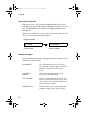
2. Press 1 to store a number or 2 to clear a
number.
Q=
H=
FUNCTION
STOP
START
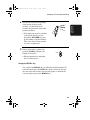
5. Press:
START
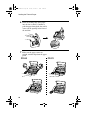
6. Enter the name of the location by pressing number keys. (Refer to the letter entry
table in Entering Your Name and Number.)
STOP
START
7. Press:
1