1
all-Fo50A.book
Page 2
Friday, October 1, 1999
5:32 PM
Quick Reference Guide
Sending Faxes
Receiving Faxes
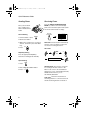
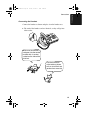
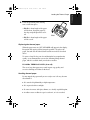
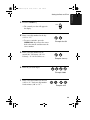
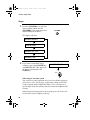
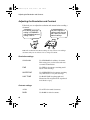
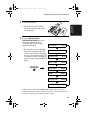
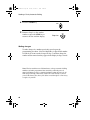
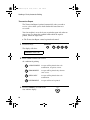
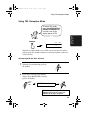
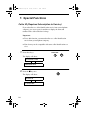
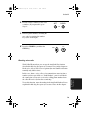
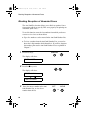
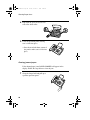
Press the RESOLUTION/RECEPTION
MODE key until the arrow in the display
points to the desired reception mode (make
sure the document feeder is empty).
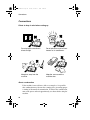
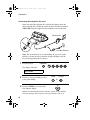
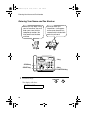
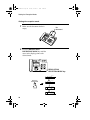
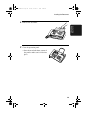
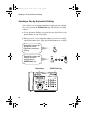
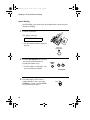
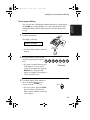
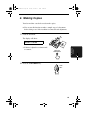
Place your document
(up to 5 pages) face
down in the document
feeder.
TEL
RESOLUTION/
RECEPTION MODE
Normal Dialling
05
NOV
10:30
05
NOV
10:30
TEL/FAX
TEL
TEL/FAX
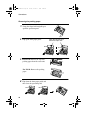
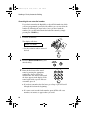
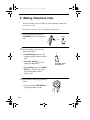
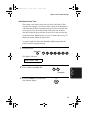
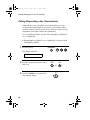
1. Lift the handset or press
A.M.
FAX
A.M.
SPEAKER
TEL
05
NOV
A.M.
TEL/FAX
05
2. Dial the fax number.
3. Wait for the reception tone (if a person
answers, ask them to press their Start
key).
FAX
10:30
TEL
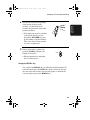
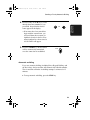
4. Press:
FAX
NOV
FAX
10:30
TEL/FAX
A.M.
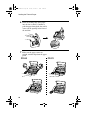
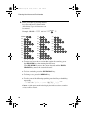
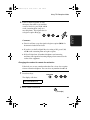
FAX mode: The fax machine automatically
answers on the set number of rings and
receives the incoming document.
START
TEL mode:
Beep
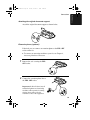
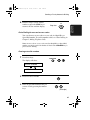
Rapid Key Dialling
START
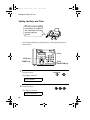
Press the appropriate Rapid Key.
Transmission will begin automatically.
RECEIVING
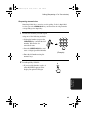
Speed Dialling
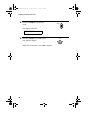
1. Press:
SPEED
DIAL
2. Enter 2-digit Speed Dial number.
3. Press:
START
TEL/FAX mode: This mode is convenient
for receiving both faxes and voice calls.
When a call comes in, the fax will detect
whether it is a voice call (including manually
dialled fax transmissions), or an
automatically dialled fax.
A.M. mode: Select this mode when an
answering machine is connected to the fax
and the answering machine is turned on.
2