1
M580.book Page 142 Monday, April 18, 2011 11:18 AM
Navigating the Web
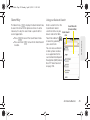
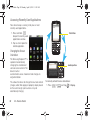
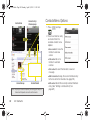
Selecting
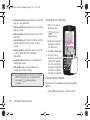
To select onscreen items or links:
Navigating through menus and websites during a data
session is easy once you have learned a few basics.
Note: Prior to gaining access to Sprint’s Powerdeck Web
page, you may be asked to enter your 10-digit PCS
phone number and tap OK. Entering your phone
number is not required for access to other Web pages.
Scrolling
As with other menu and list items on your phone,
scrolling is a simple matter of sliding your finger up or
down through the page.
To scroll line by line through websites:
䊳
Scroll over each available line within a Web page
or to move the onscreen cursor around the page.
To scroll through a website’s page:
䊳
In a single motion, touch and drag across the
page.
䊳
Drag across a page, then touch an onscreen link
to select the link.
Links, which are displayed as underlined text, allow you
to jump to Web pages, select special functions, or even
place phone calls.
To select links:
䊳
Touch an onscreen item or hyperlink.
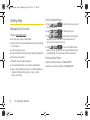
Going Back
To go back one page:
䊳
Press
on your device. Repeat this process
to keep going back through your Web page history
of recently visited pages.
Note: You can use
for deleting text (like a BACKSPACE
key) when you are entering text.
Going to a Web Page
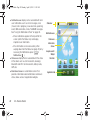
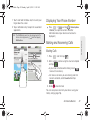
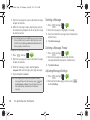
1. Tap the Address field (top of the browser window)
and enter a new Web address.
142
3B. Web and Data Services